TrainZilla
Building India's most complete personal trainer platform — from product architecture to live launch — so that fitness coaches can run their entire business from one intelligent dashboard.
THE PROBLEM
Indian fitness coaches ran their business on WhatsApp, Sheets and UPI screenshots. Global tools were dollar-priced, English-only and had no local payments.
THE HARDEST CHALLENGE
Shipping a coach workspace, mobile apps and a client app together, without drowning solo coaches in features they would never open.
THE OUTCOME
A live product with 100+ coaches signed up in the first weeks, across web, iOS and Android, with a sub-10-minute path to the first paid client.
“Otiis got us from a rough concept to 100+ paying coaches on a live product. We'd tried two other agencies — neither shipped. These guys actually did.”
Coaches drowned in admin.
India's fastest-growing fitness coaches were managing clients across WhatsApp, Google Sheets, PDF workout plans, and UPI payment screenshots. There was no single tool built for how an Indian trainer actually works — in Hindi, on mobile, accepting local payments, managing transformation check-ins daily.
Western alternatives like Trainerize didn't support UPI, had no Hindi UI, and were priced in dollars. The gap was enormous. TrainZilla came to us with a clear ambition: own India's personal training software market before anyone else did.
Why coaches needed a better tool.
Before design started, we interviewed working coaches in Bangalore, Delhi and Mumbai. The pattern was consistent: the whole business lived in WhatsApp, Excel and Google Forms, with ₹15k–50k monthly earnings and 10–40 clients per coach, and no admin help.
Trainerize
Polished, but dollar pricing, no UPI, no Hindi UI.
TrueCoach
Well designed but US-centric and costly for a first-time solo coach.
Everfit
Feature-rich with a steep learning curve for new coaches.
Local tools
India-focused, but thin on design quality, habit tracking and AI.
Nothing combined affordable India pricing, UPI billing, a free client-facing app, and mobile plus web in one product. That was the opening.
| Feature | TRAINZILLA | GLOBAL TOOLS | LOCAL TOOLS |
|---|---|---|---|
| India pricing & UPI | ● | ○ | ◐ |
| Free client app | ● | ◐ | ◐ |
| Habit tracking | ● | ● | ◐ |
| AI features | ● | ◐ | ○ |
| White-label app | ● | ◐ | ◐ |
| Multi-trainer | ● | ● | ○ |
Qualitative comparison from our discovery research; vendors change features often.
Two very different people, one platform.
TrainZilla serves two groups with different goals. Getting that split right was the most important early decision.
The Coach
A solo professional running a business, not just sessions. Jobs: build programs, track payments, review progress, communicate efficiently.
- Wants to save time on admin
- Needs to look professional to clients
- Tracks revenue and retention
- Juggles WhatsApp and phone calls today
The Client
Pays a coach for transformation. Needs simplicity and motivation, not configuration. Jobs: see today's workout, log check-ins, message the coach.
- Wants to see progress clearly
- Needs nudges to stay on track
- Views plans, never builds them
- Logs check-ins and photos weekly
The coach side is data-dense and workflow-led (web first, then mobile). The client side is simple, motivational and mobile-only. We built them as two products on one shared backend, not one responsive app, even though it doubled the design surface.
India-native, from the ground up.
We kicked off with five days of discovery interviews with active fitness coaches across Bangalore, Delhi, and Mumbai. The insight was clear: coaches didn't want complexity — they wanted to look professional to clients and spend less time on paperwork.
We structured the platform around three core jobs-to-be-done: managing client progress, delivering workout plans, and getting paid — automatically. Every UI decision traced back to one of those three. We used Razorpay for subscription billing and built the onboarding flow to get a coach to their first paid client in under 10 minutes.
How the product is structured.
Coach Web App
React · primary workspace: Dashboard, Clients, Workout Plans, Diet Plans, Sessions, Habits, Check-ins, Billing, AI Tools.
Coach Mobile
iOS & Android, on the go: Home, Clients, Calendar, Check-ins, Notifications.
Client App
iOS & Android, client-facing: Today's Workout, Progress, Check-in, Plans, Messages.
A marketplace that feeds the product.
Beyond the coach SaaS, TrainZilla includes a public marketplace where prospective clients discover certified coaches, compare specialties and book directly. Every Professional-tier coach gets a public profile that works as a digital storefront.
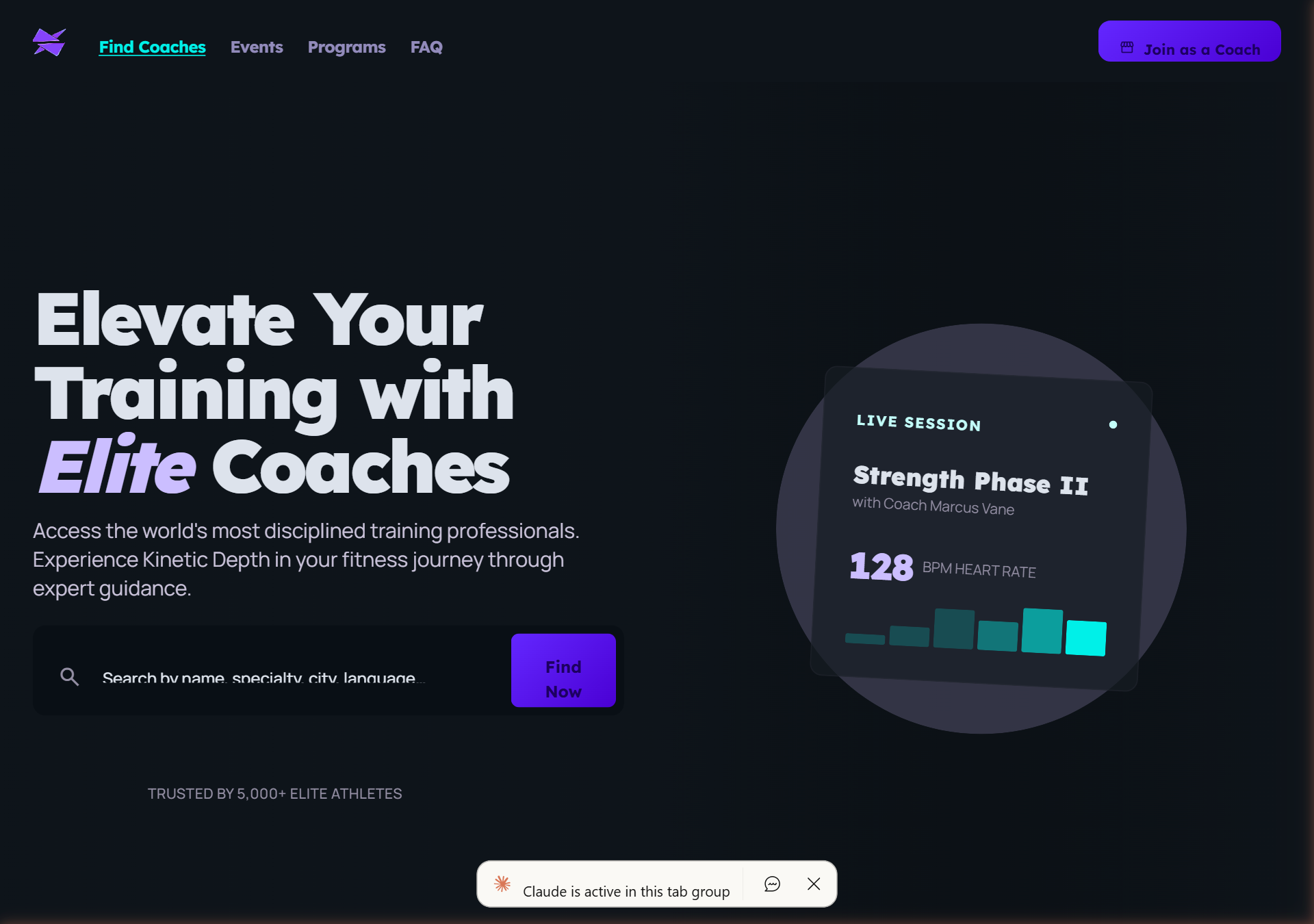
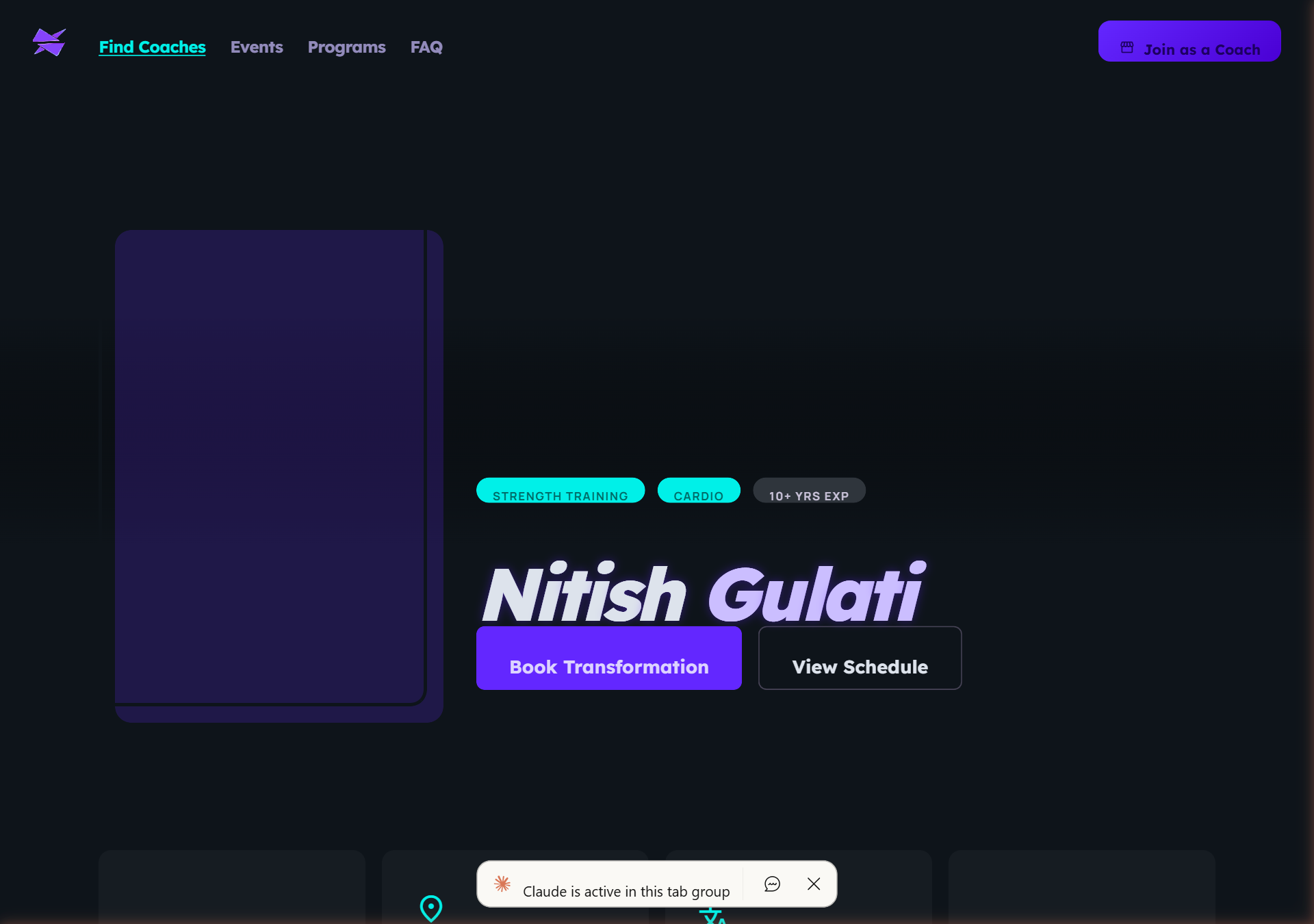
Coach discovery
Search by specialty, city, language and availability, with featured coaches surfaced first.
Public coach profile
Bio, specialties, packages, weekly availability and client results in one bookable page.
Direct booking
Bookings flow straight into the coach dashboard. No double entry.
It is a growth flywheel, not a marketing page: more bookings, more active coaches, more discovery inventory. It needed its own bold, client-facing design language, separate from the data-dense coach SaaS.
The decisions that mattered most.
Free vs paid tier split
Context. Too restrictive and new coaches leave before seeing value. Too generous and there is no reason to upgrade.
Resolution. Core coaching tools stay free. Business tools (white-label, integrations, advanced analytics, video) sit in Professional, so coaches upgrade when their business grows.
One platform or three UIs
Context. Coach web, coach mobile and the client app are different jobs. A single responsive app would ship faster but serve mobile worse.
Resolution. Separate native apps sharing one component and token system. Web is the primary workspace; mobile is for sessions and check-in review.
Onboarding friction vs time-to-value
Context. Profile, pricing and availability must exist before a client can book, which invites drop-off.
Resolution. A stepper onboarding plus a Setup Checklist that collapses as steps finish. Coaches see their dashboard immediately and complete setup progressively.
Dashboard information hierarchy
Context. The dashboard serves new coaches, growing coaches, established coaches and gym owners.
Resolution. Progressive disclosure: empty state shows setup, active state shows clients and revenue, power state shows analytics. Same components, different data density.
Key coach screens.
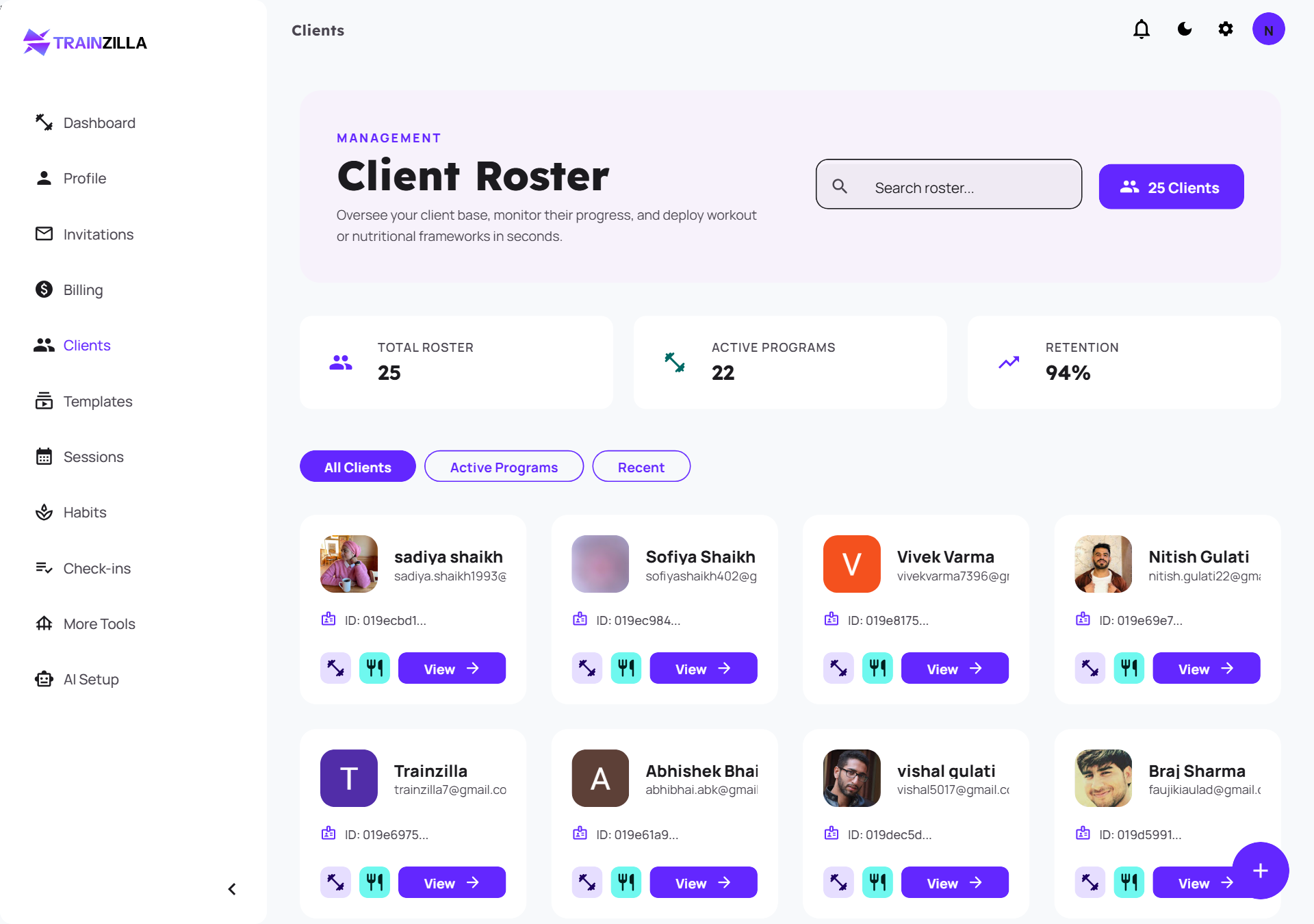
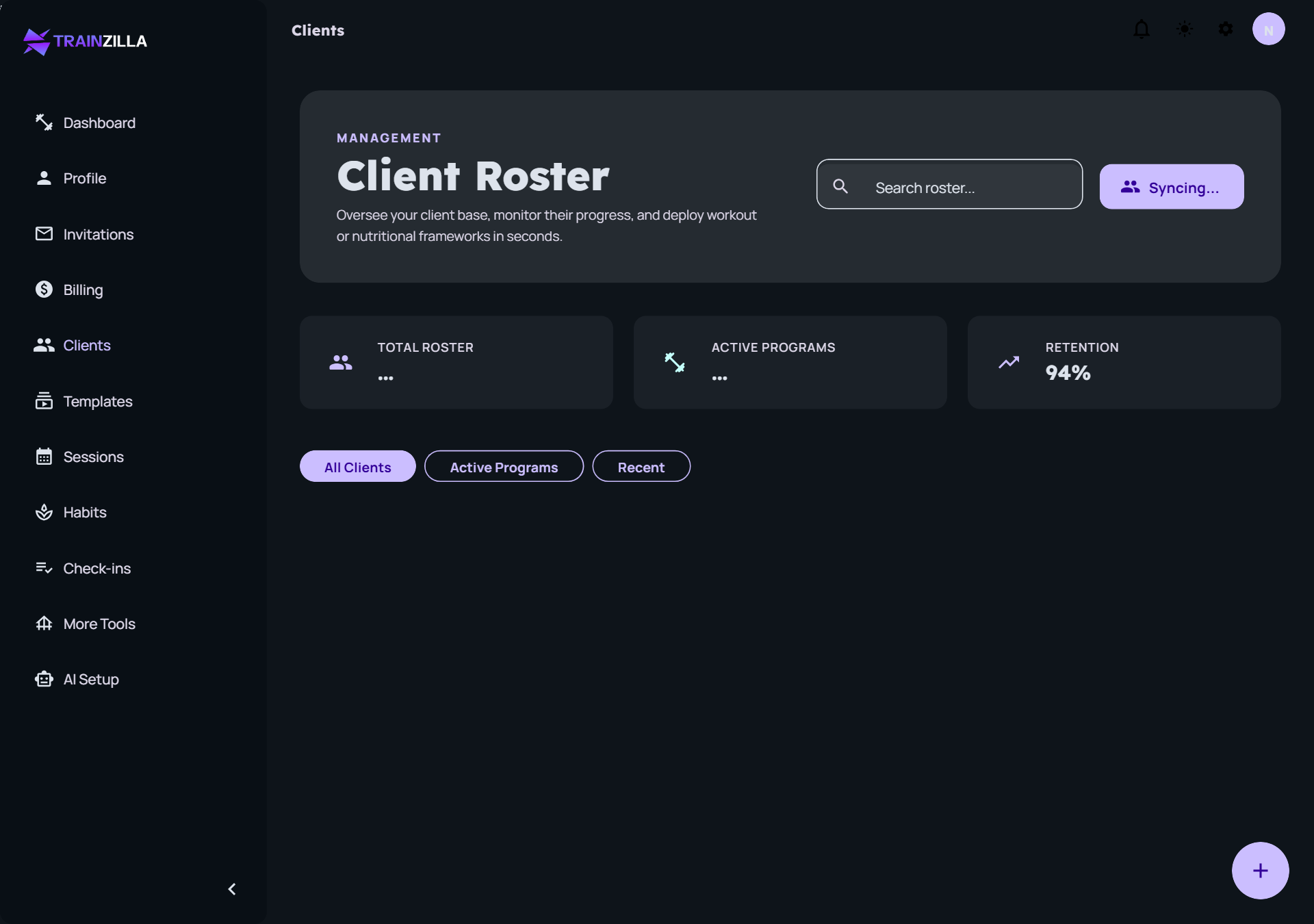
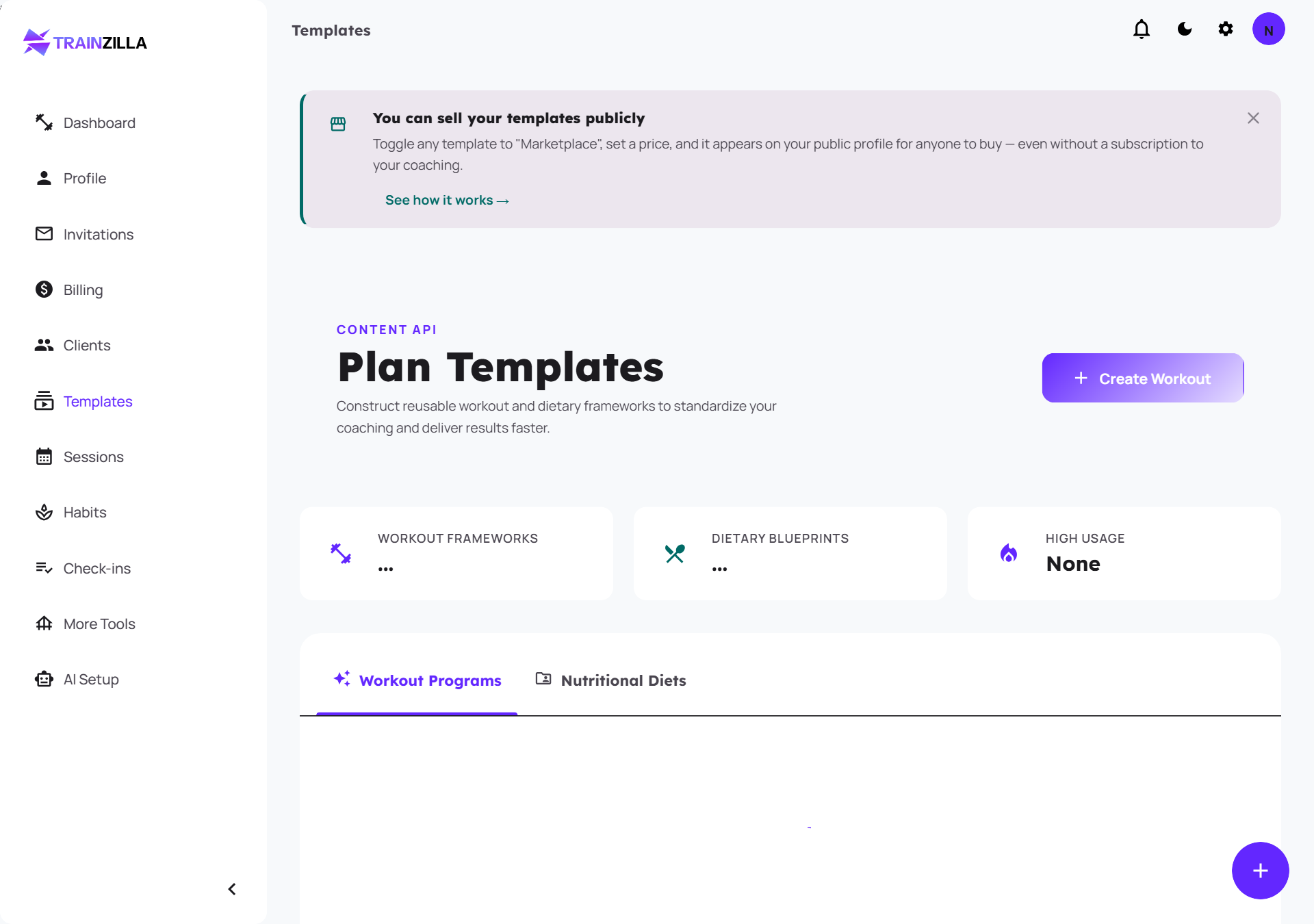
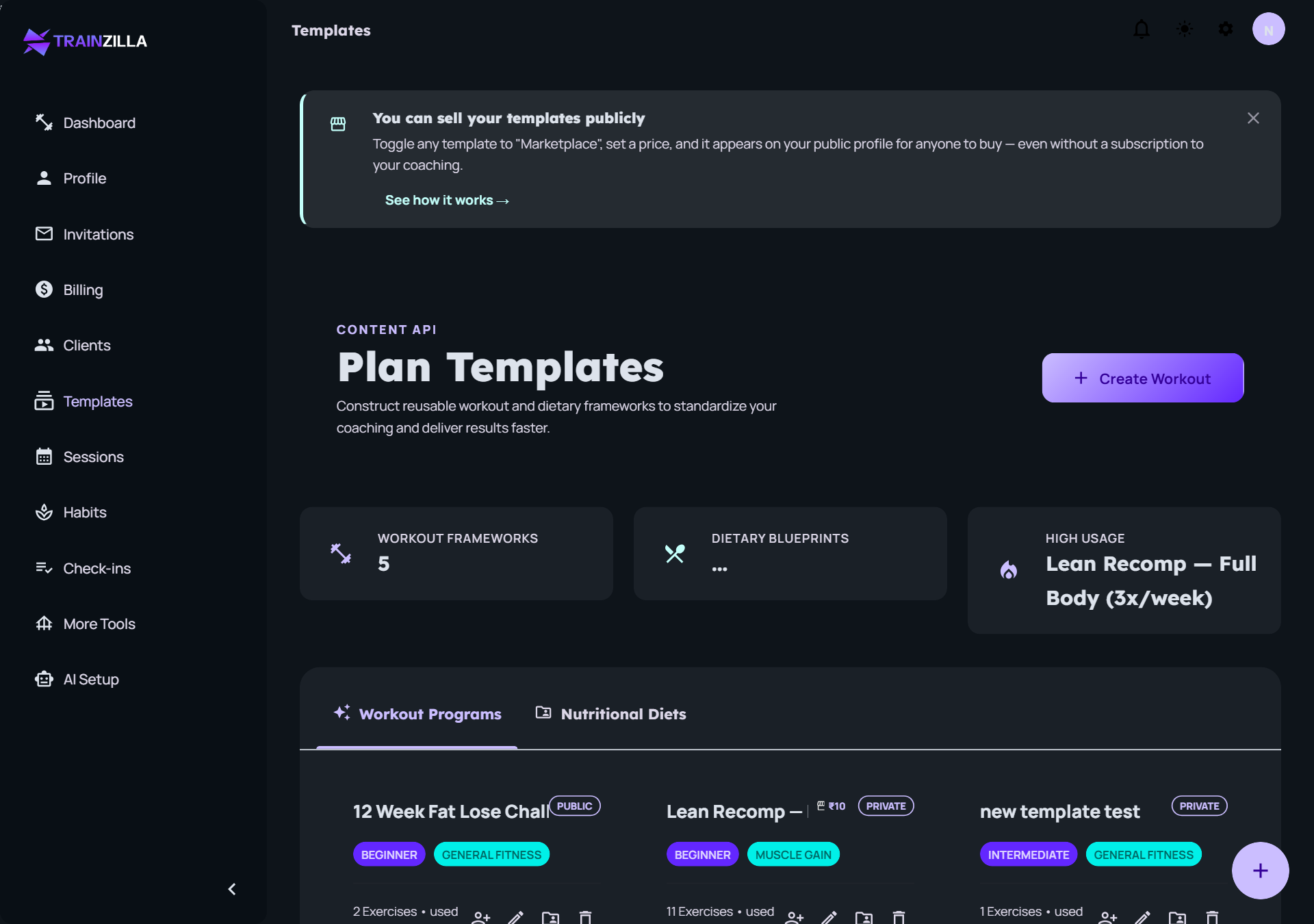
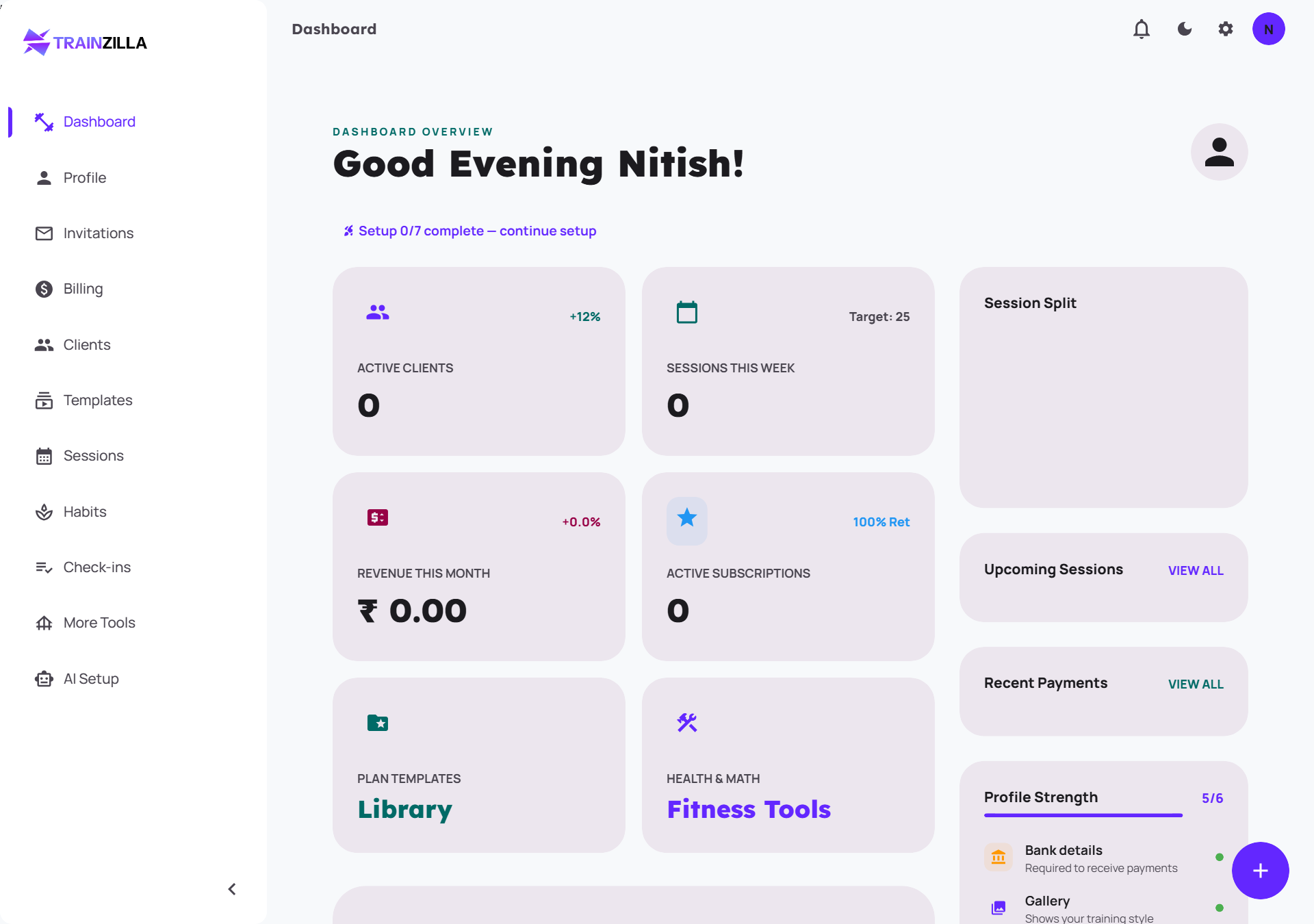
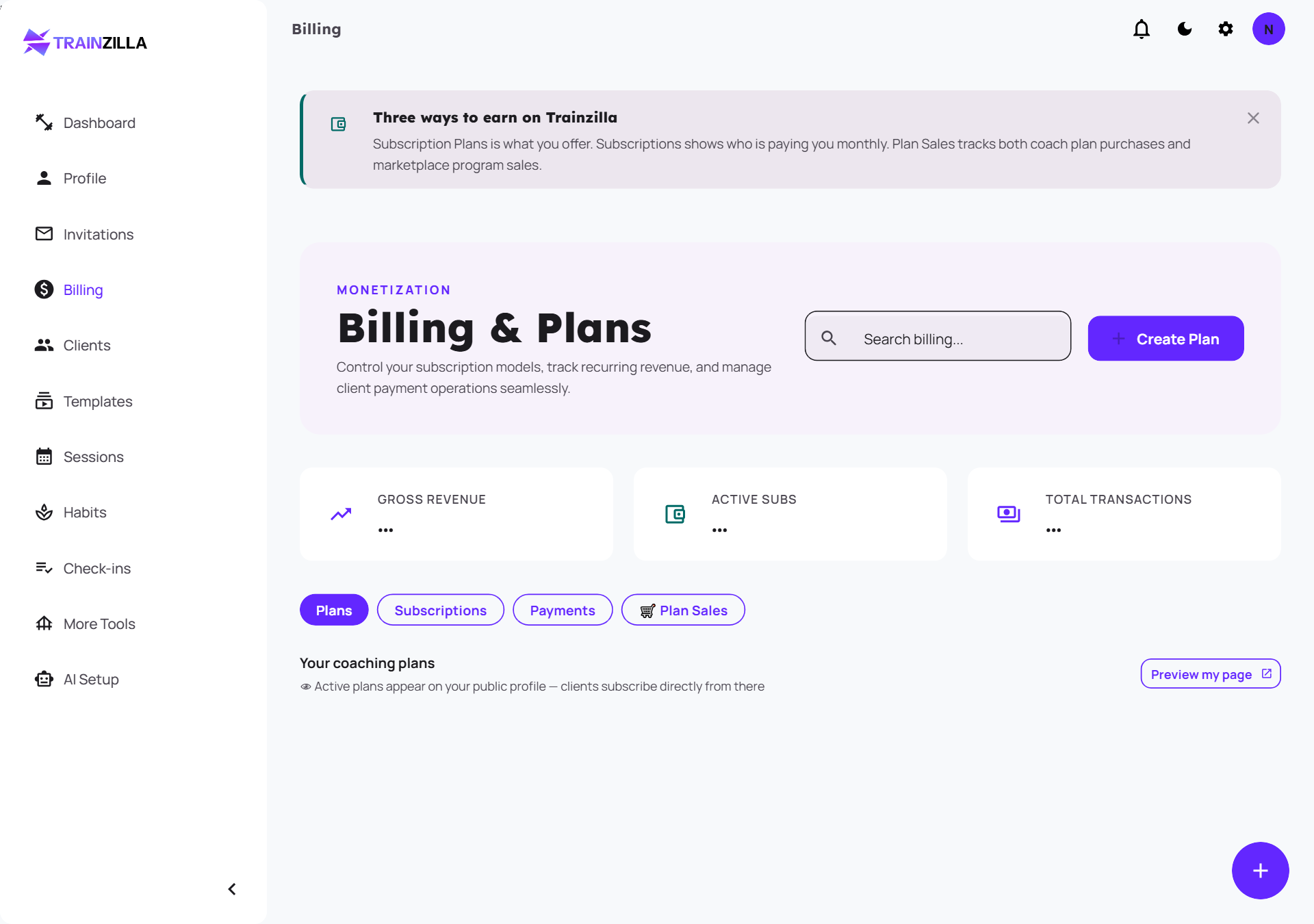
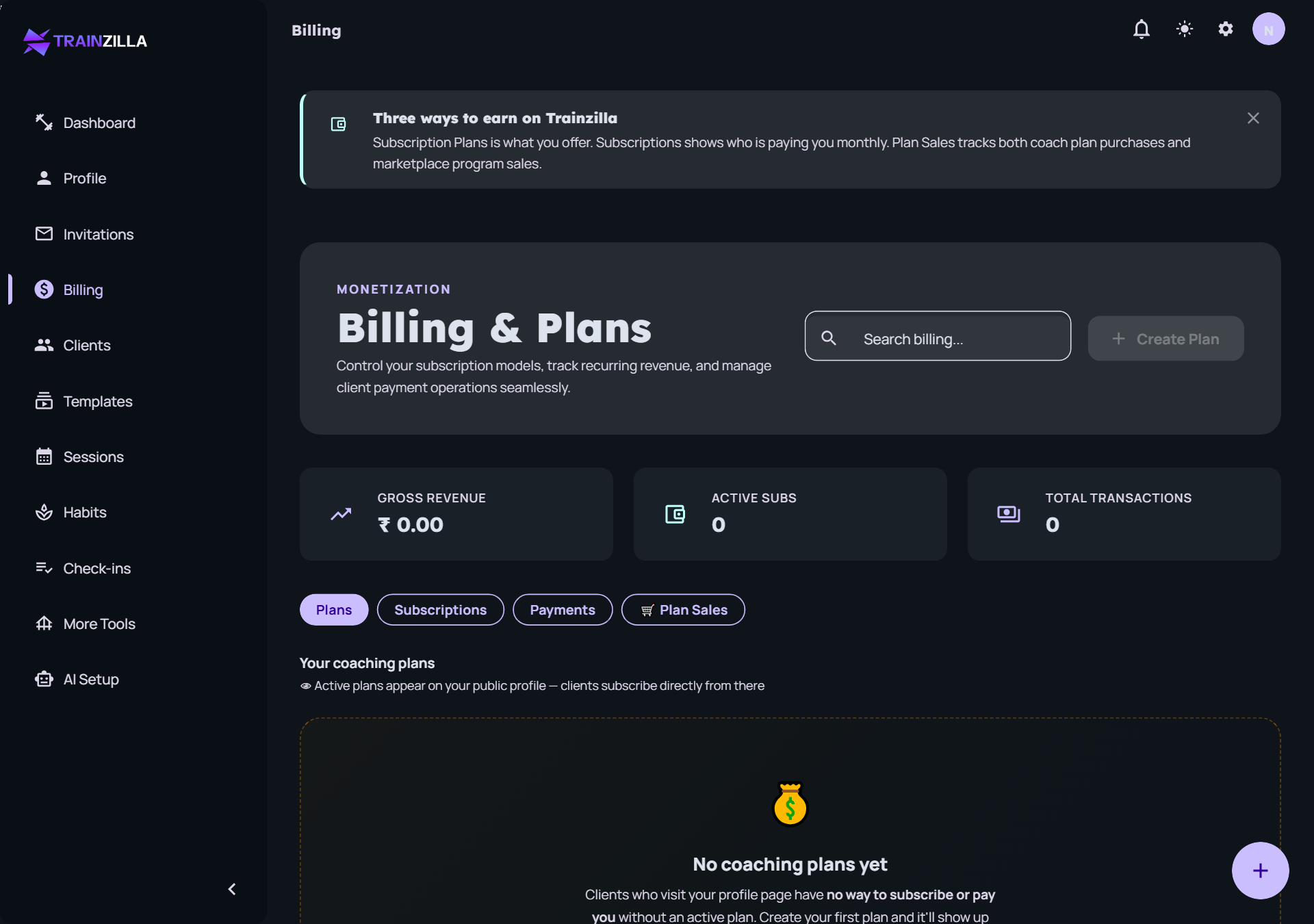
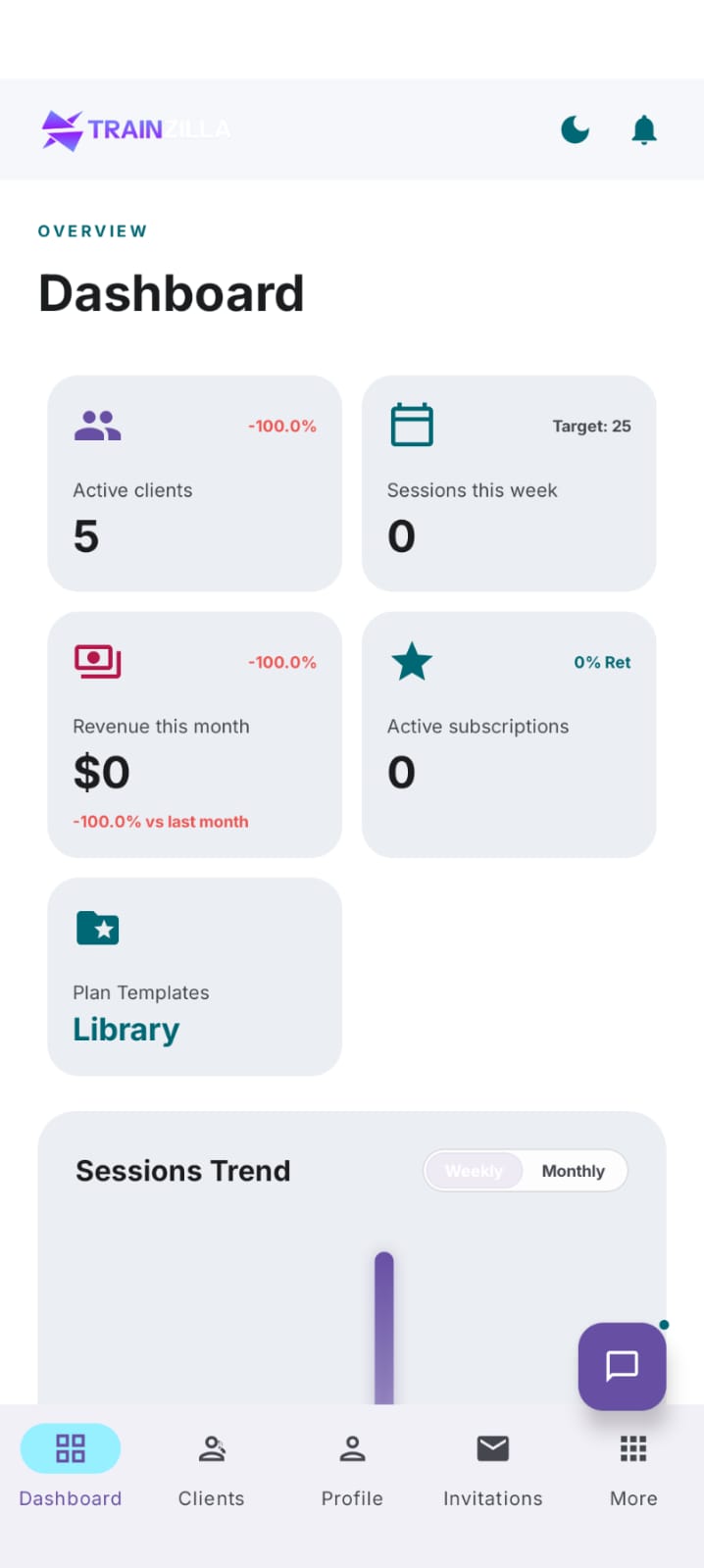
The coach workspace in light and dark. Both themes ship out of the box and the user's preference is saved automatically.
Coach Dashboard
Revenue overview · Active clients · Upcoming sessions · Recent activity
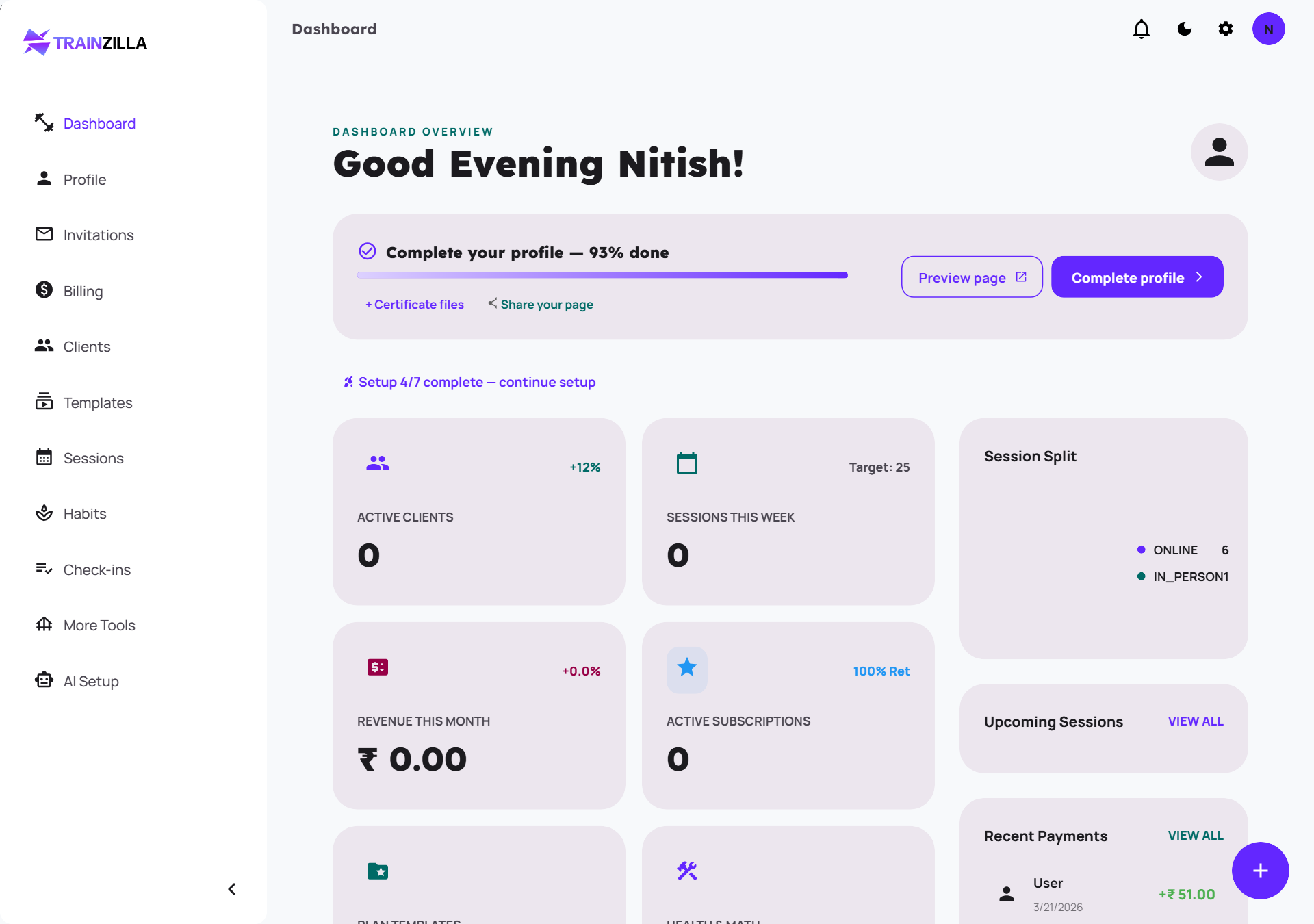
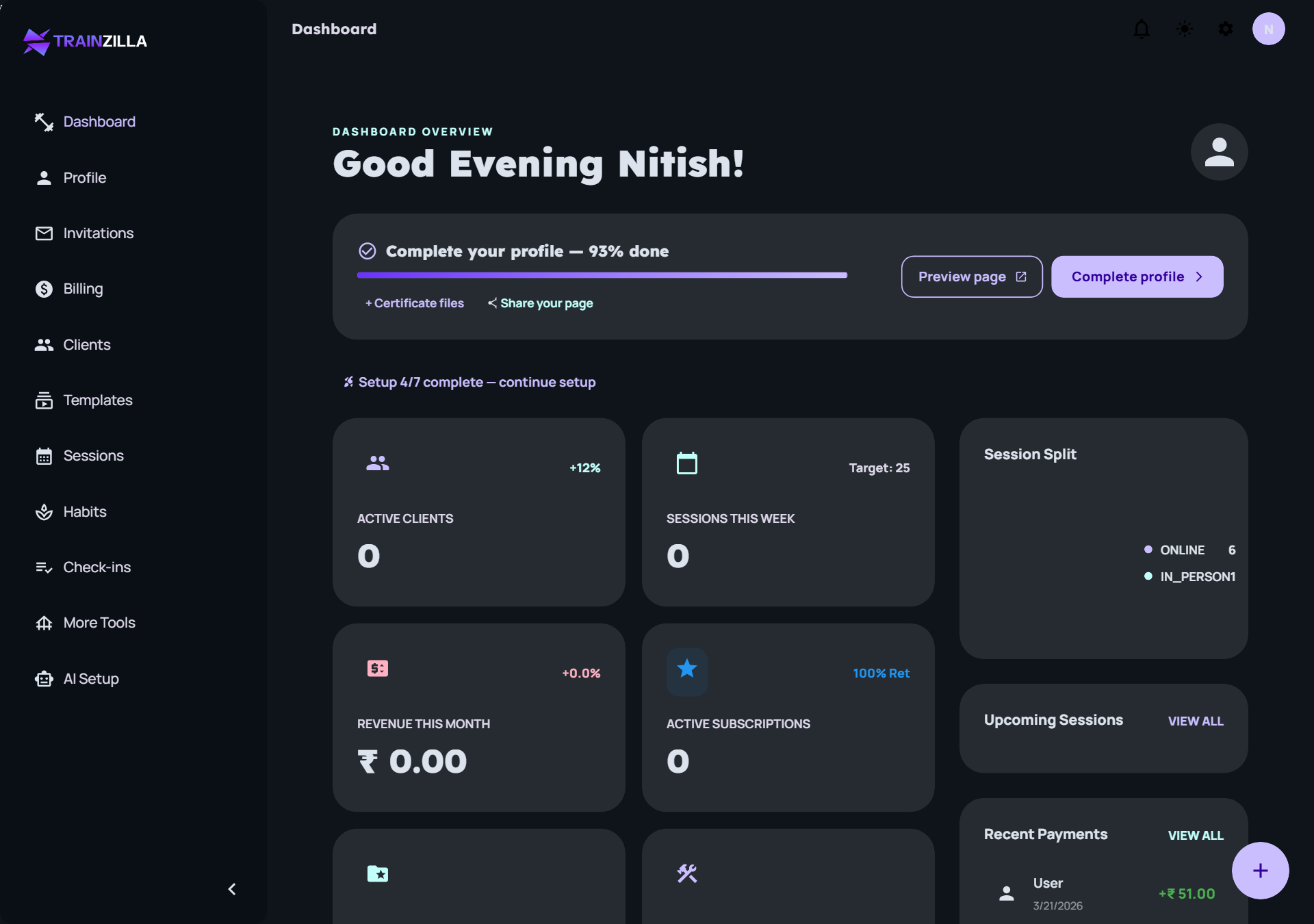
Client List & Profile
Client cards · Progress · Plans · Check-ins
Workout Plan Builder
Exercise library · Custom sets and reps · Templates
Check-ins & Habit Tracking
Weekly check-ins · Progress photos · Habit compliance
Billing & Subscriptions
Payment management · Invoicing · Revenue tracking
Coach-first dashboard.
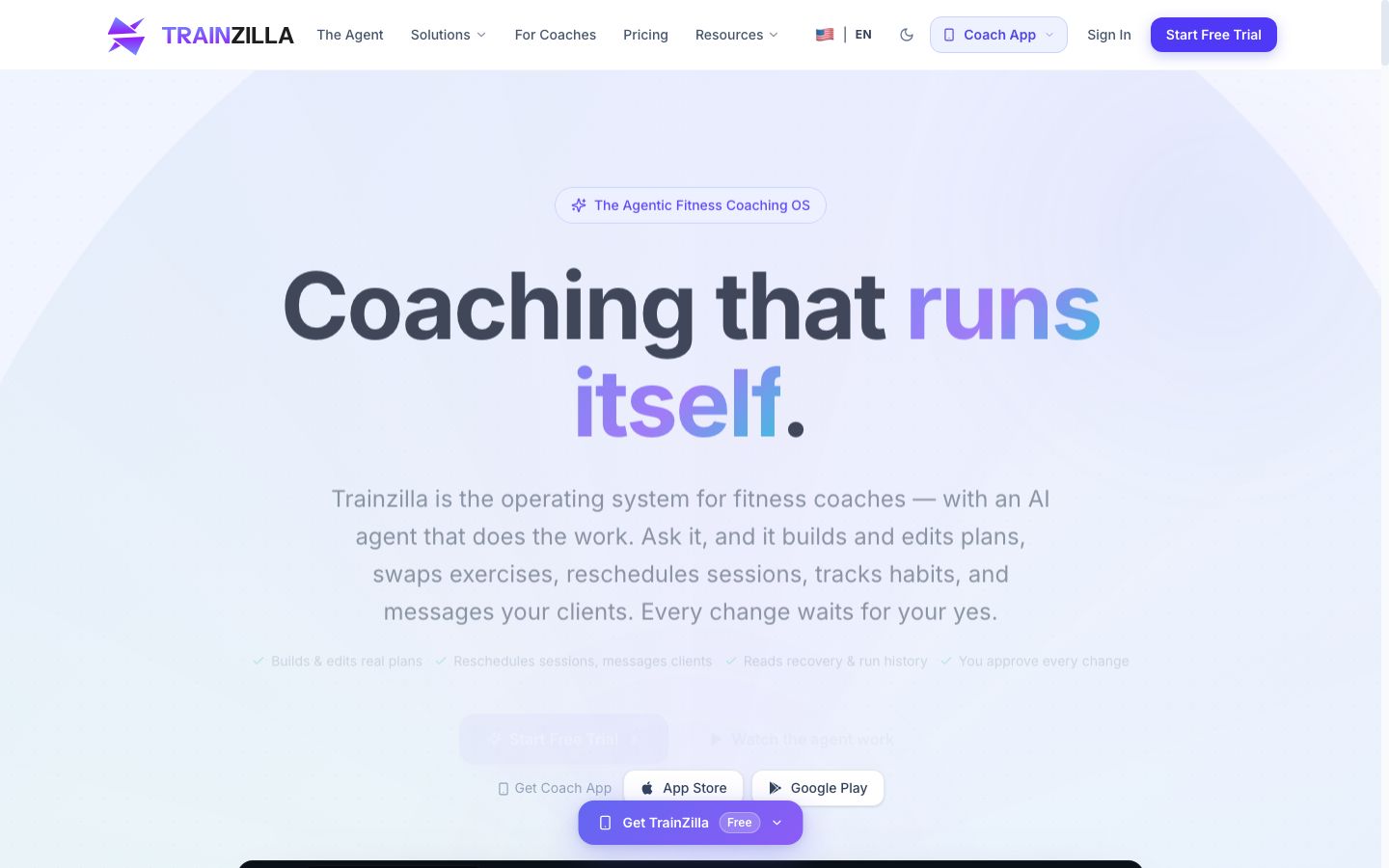
The platform's UI centres on the coach dashboard — a single screen showing all active clients, their current programme phase, check-in status, and upcoming renewal dates. Every element earns its space: no charts for chart's sake.
We designed AI-powered workout plan generation that auto-adapts based on client progress logs. Coaches tweak, approve, and send — the heavy lifting is done. We paired this with a client-facing app that turns check-ins into a habit, not a chore.
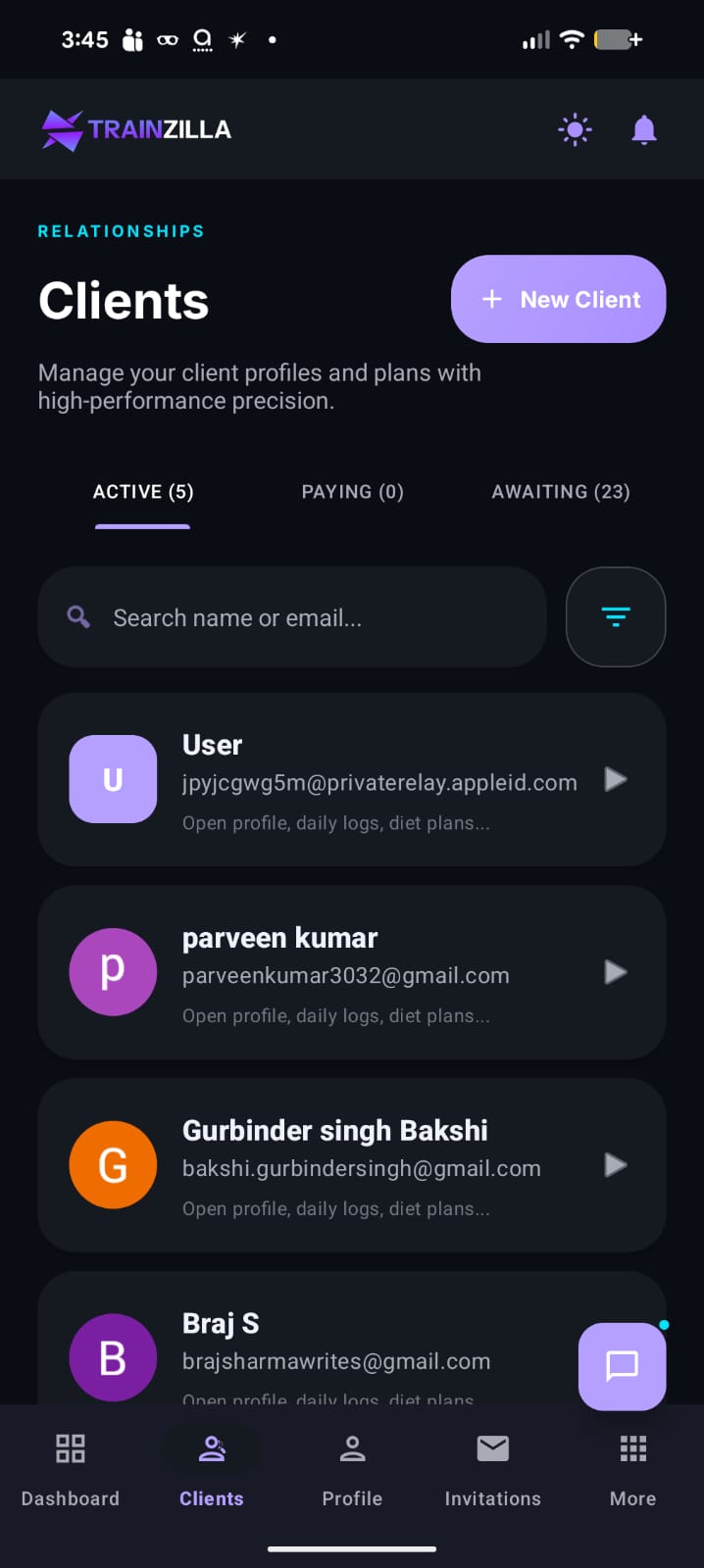
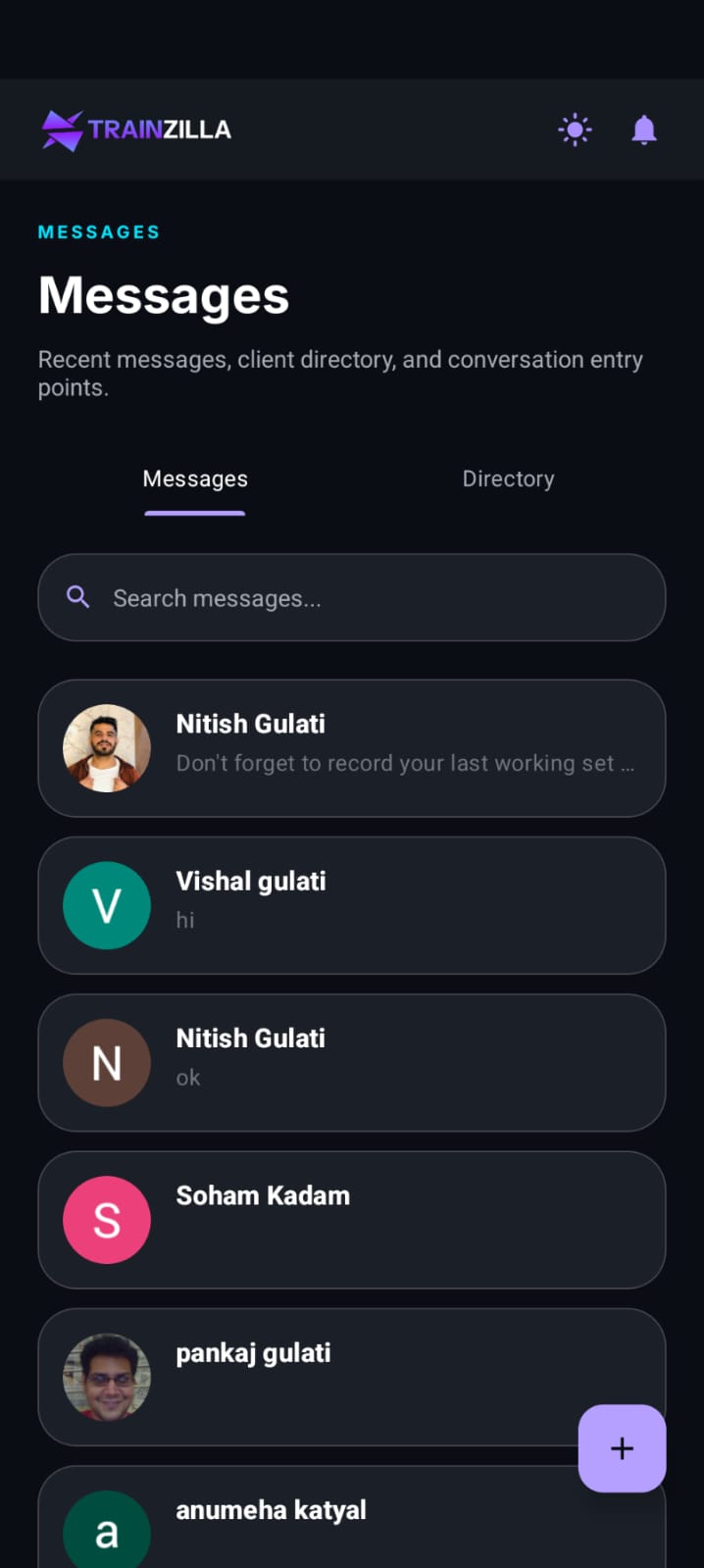
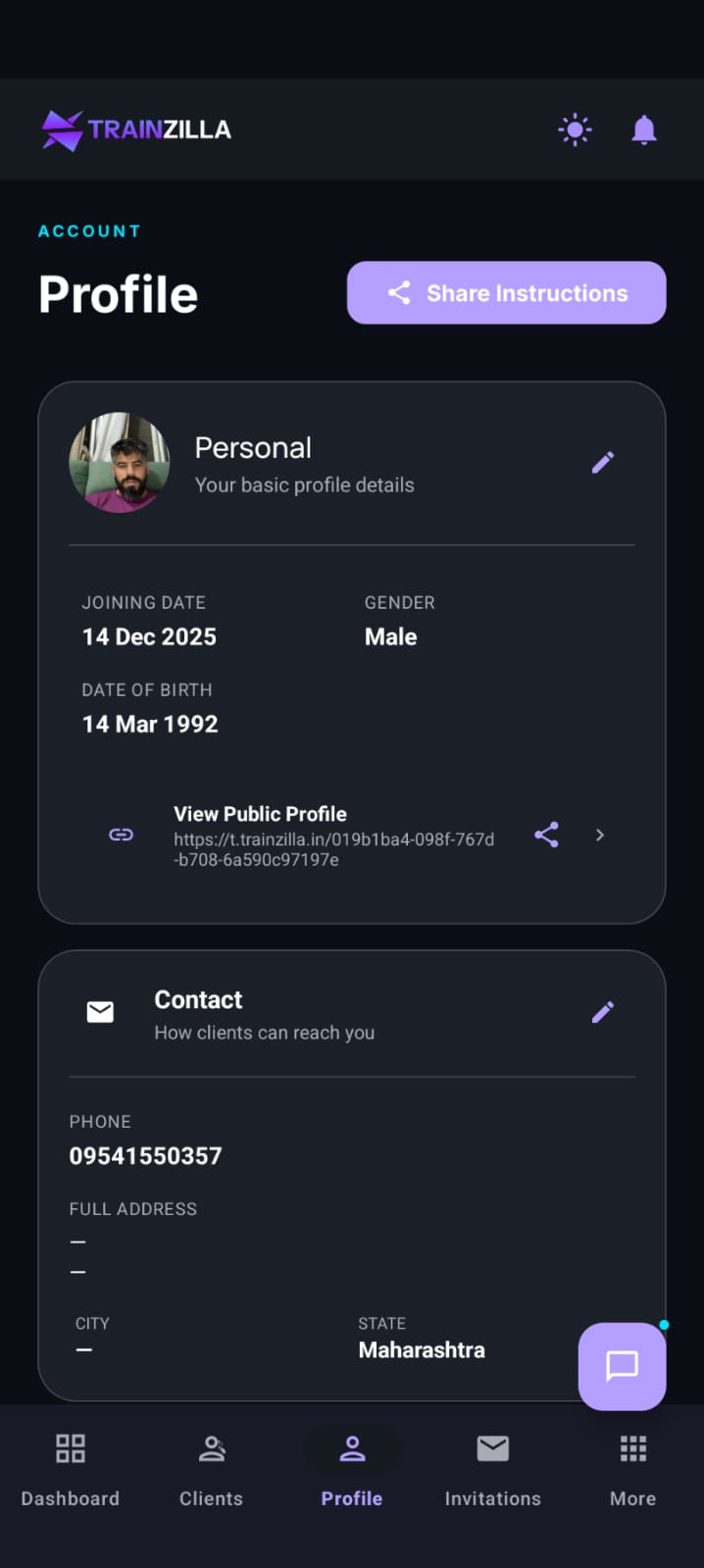
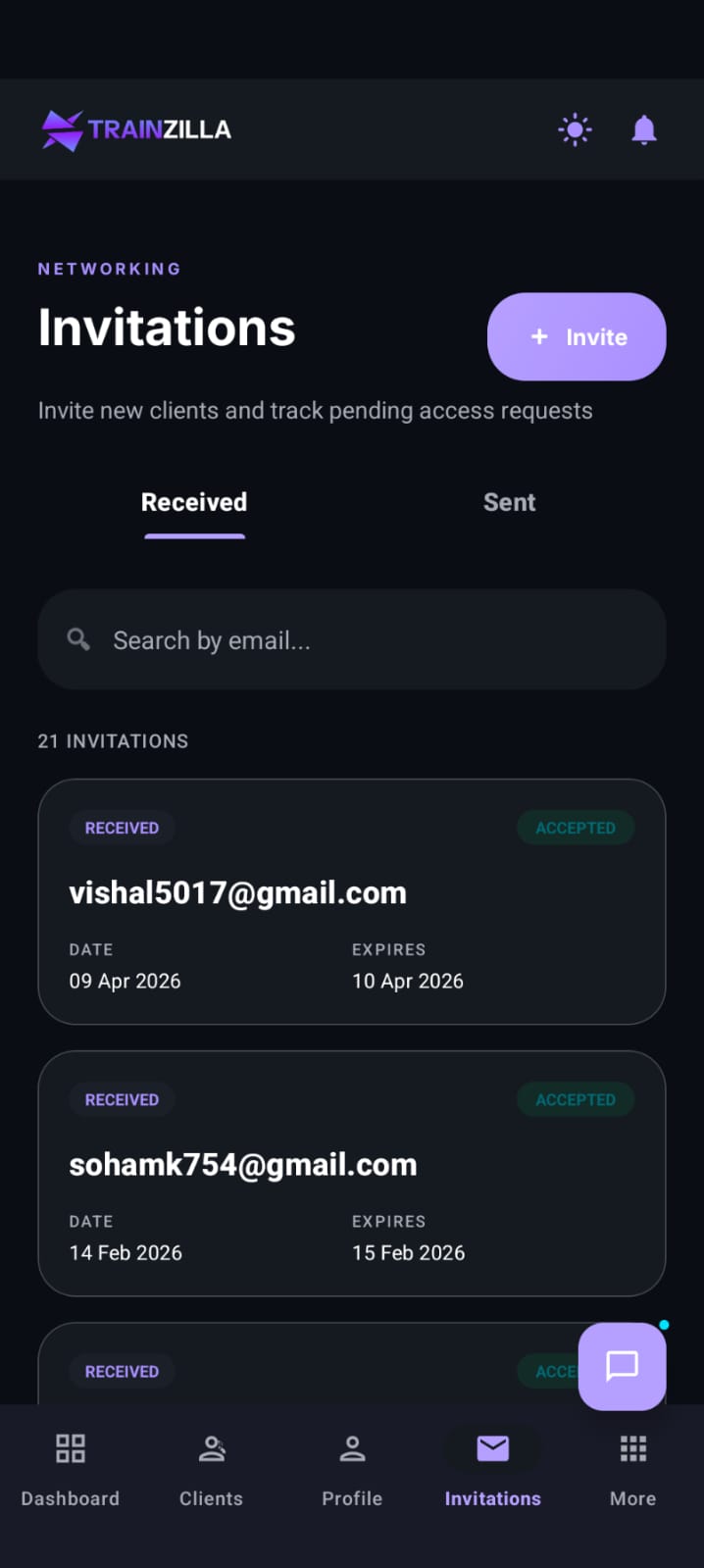
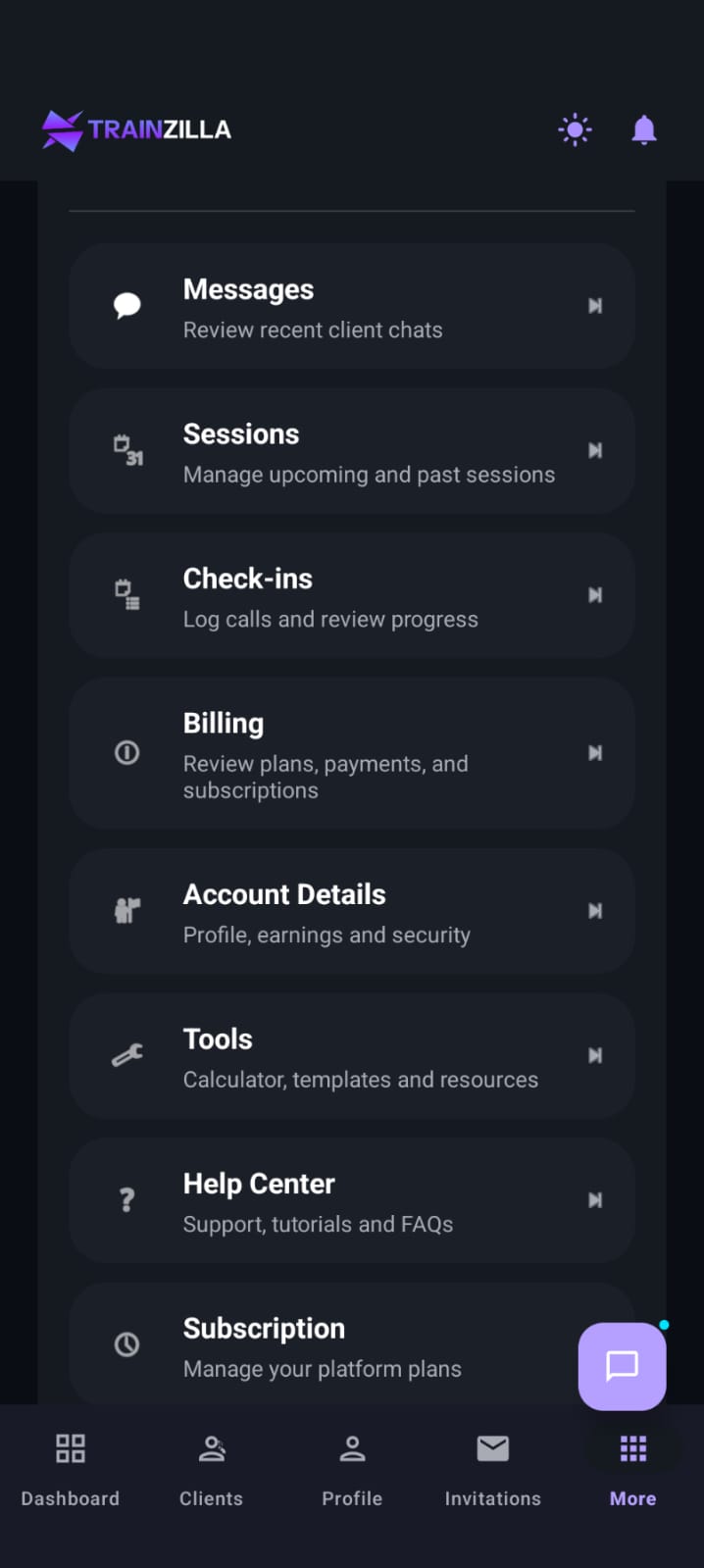
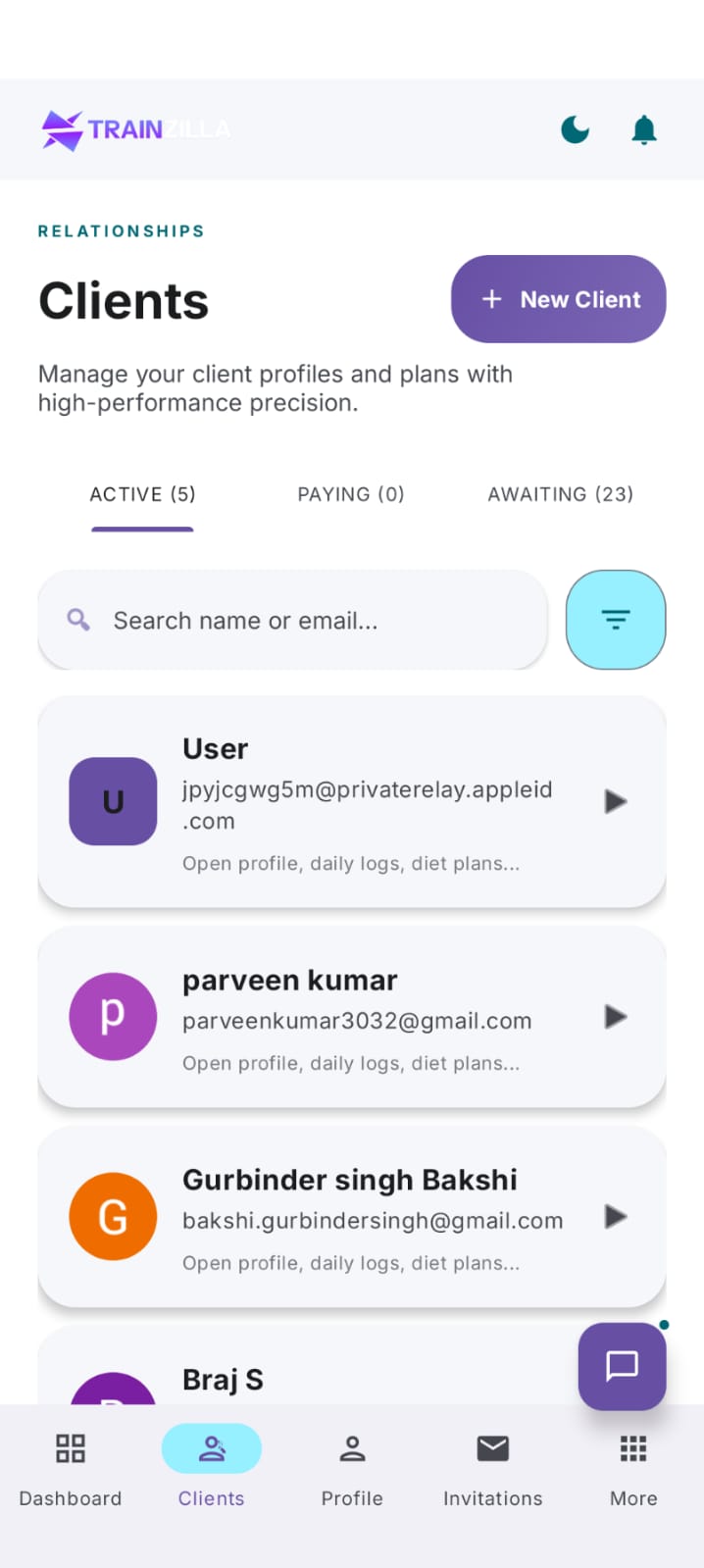
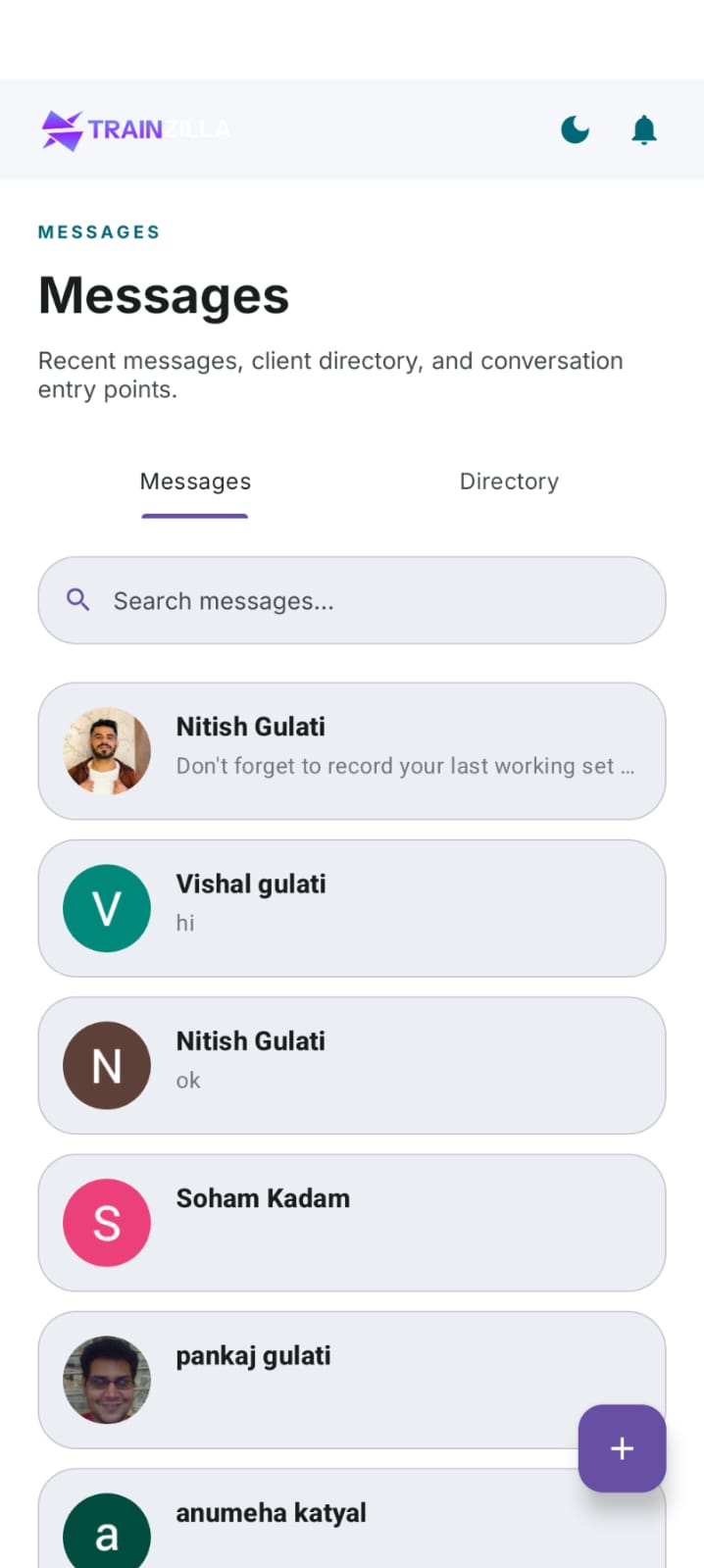
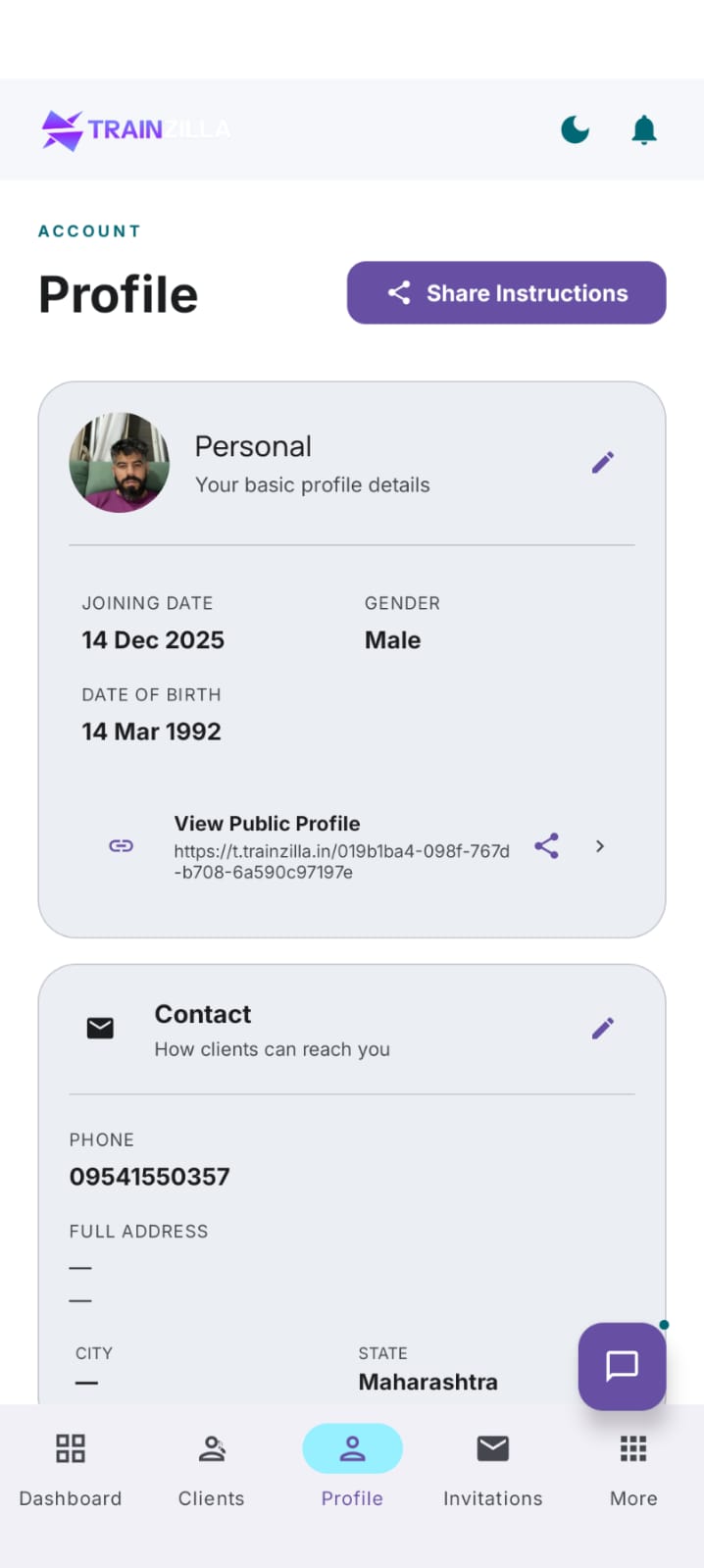
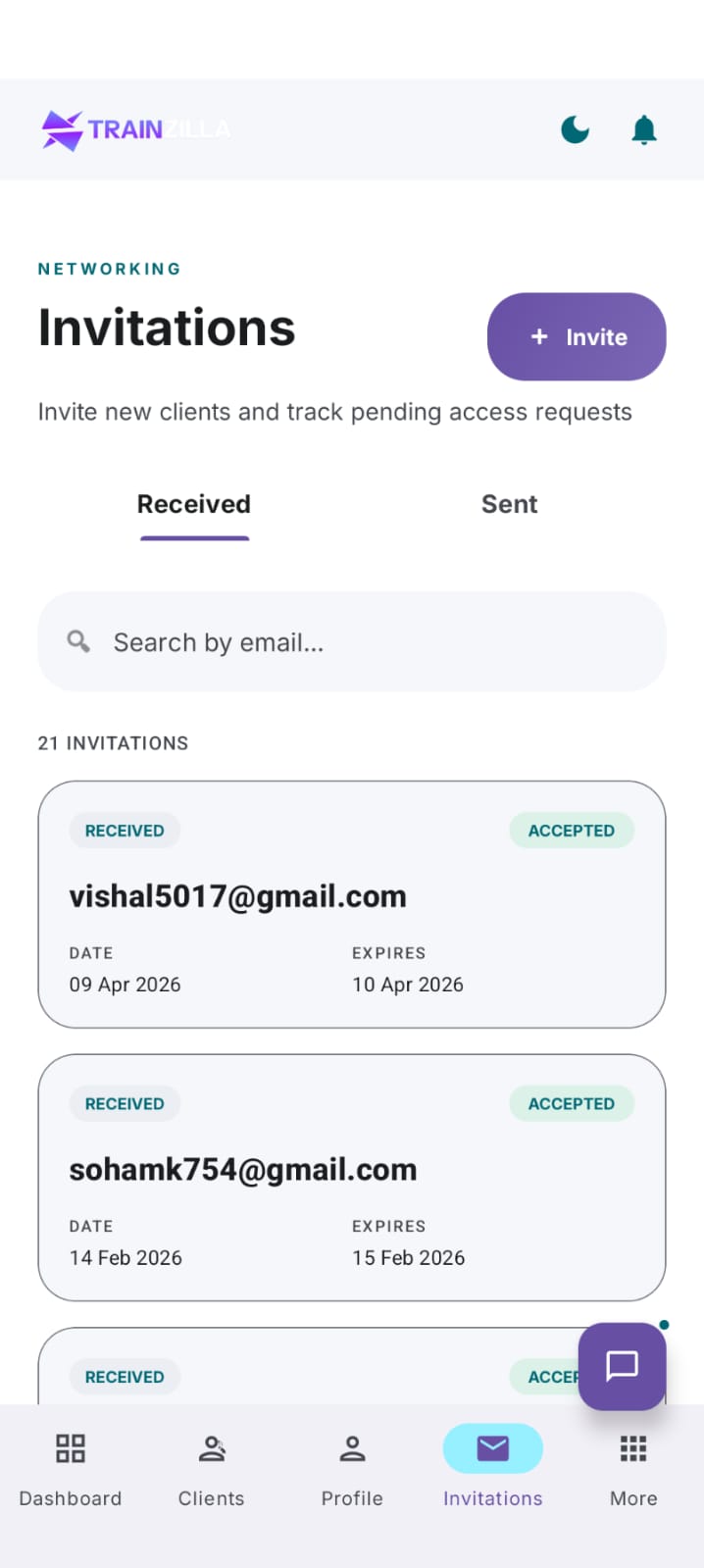
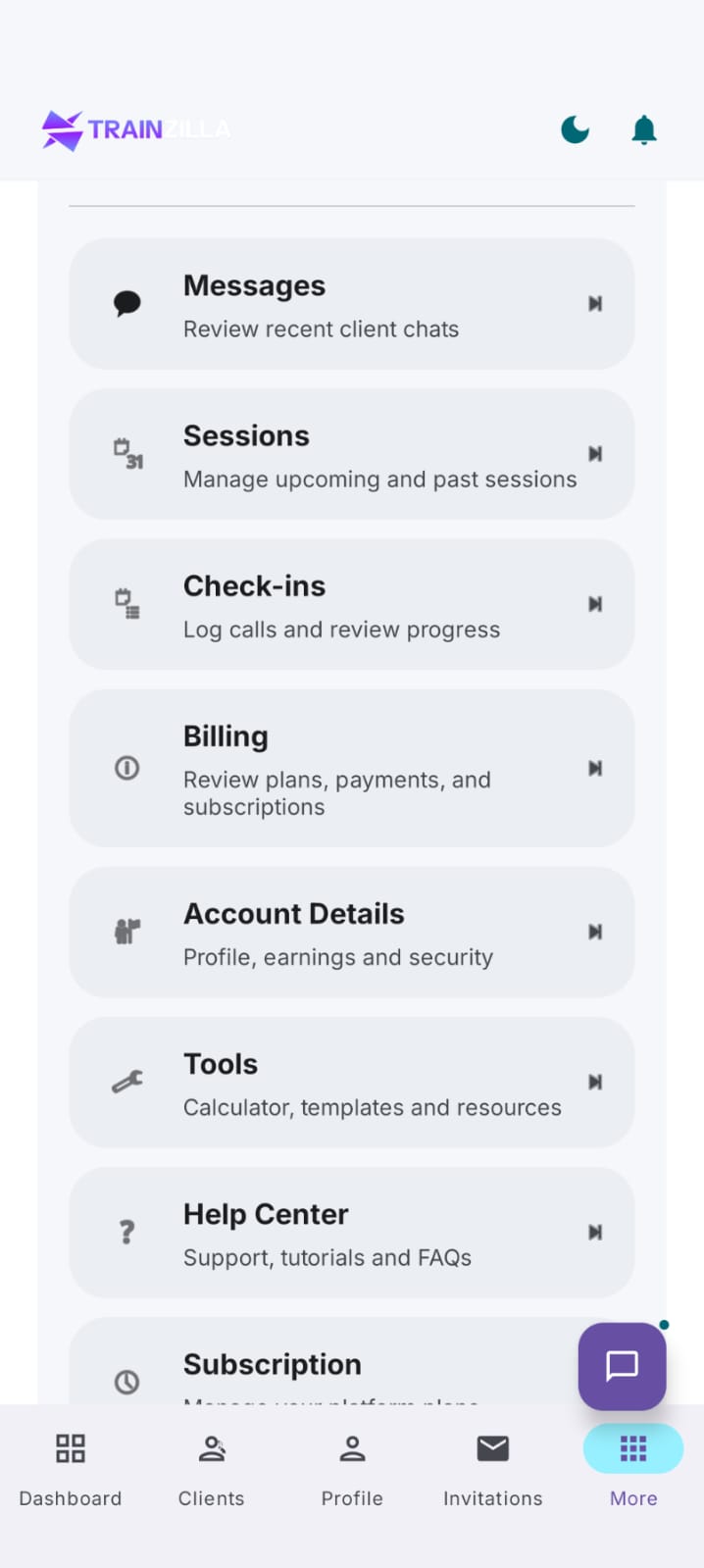
Coach mobile app, iOS & Android.
Same design language, native implementation. The mobile app is built for the moments between sessions: checking in on clients, replying to messages and accepting invitations.
DARK MODE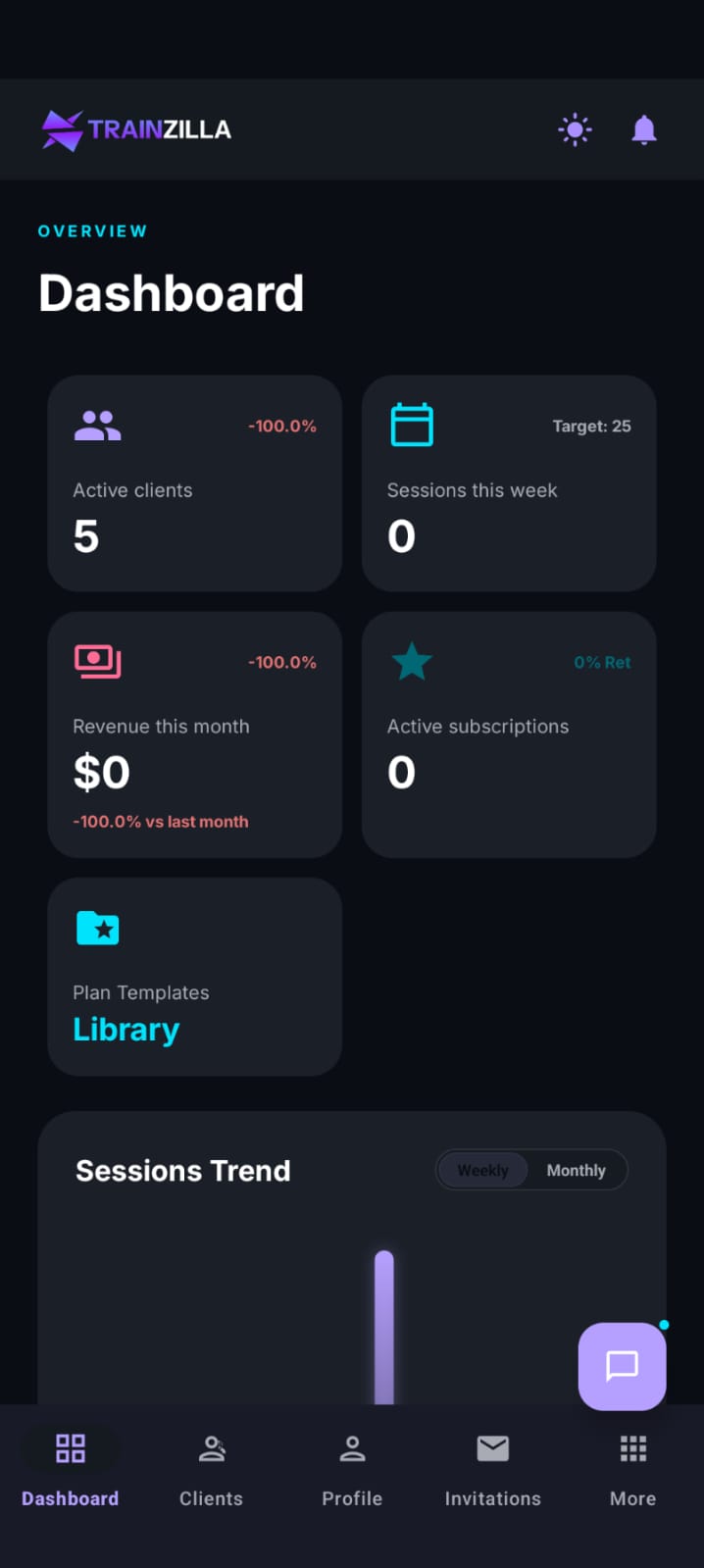
The motivational counterpart.
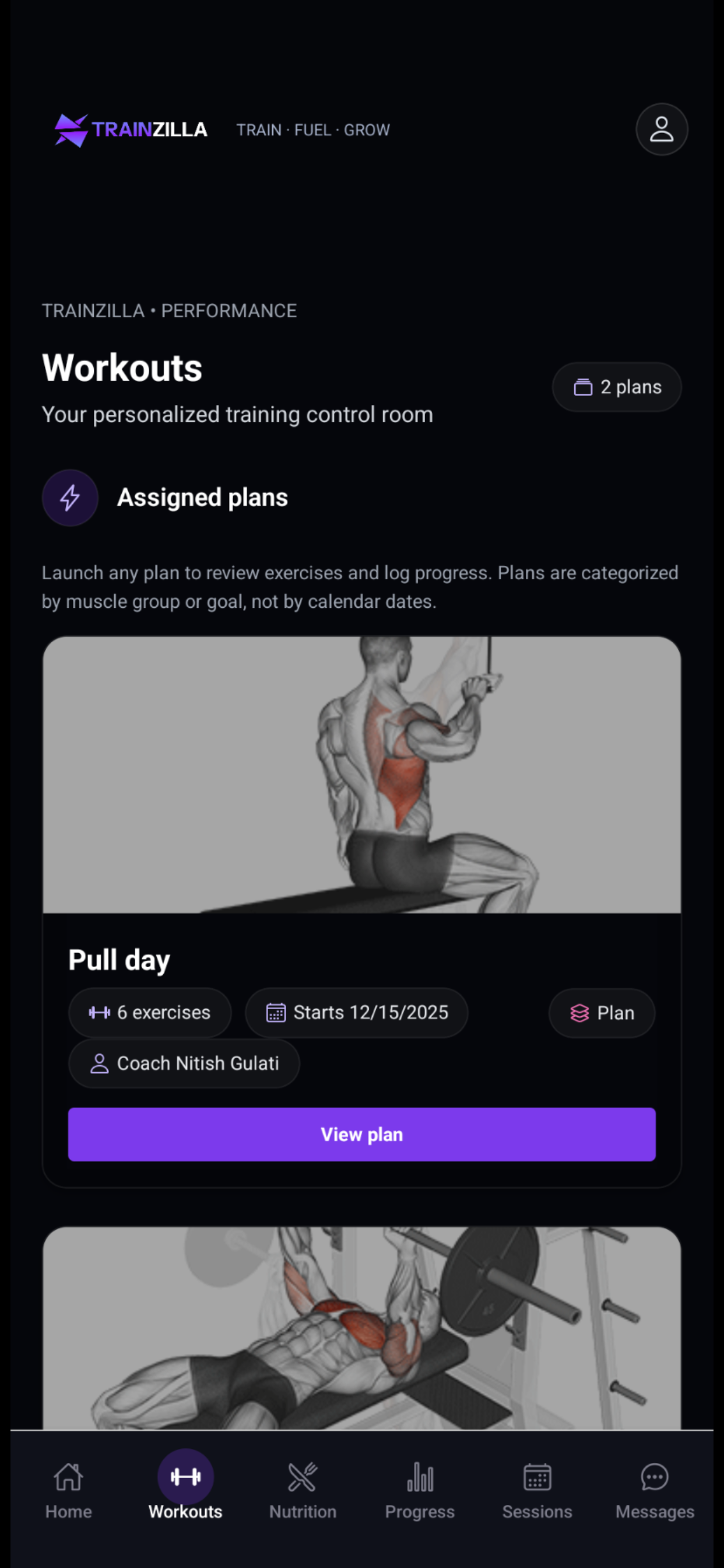
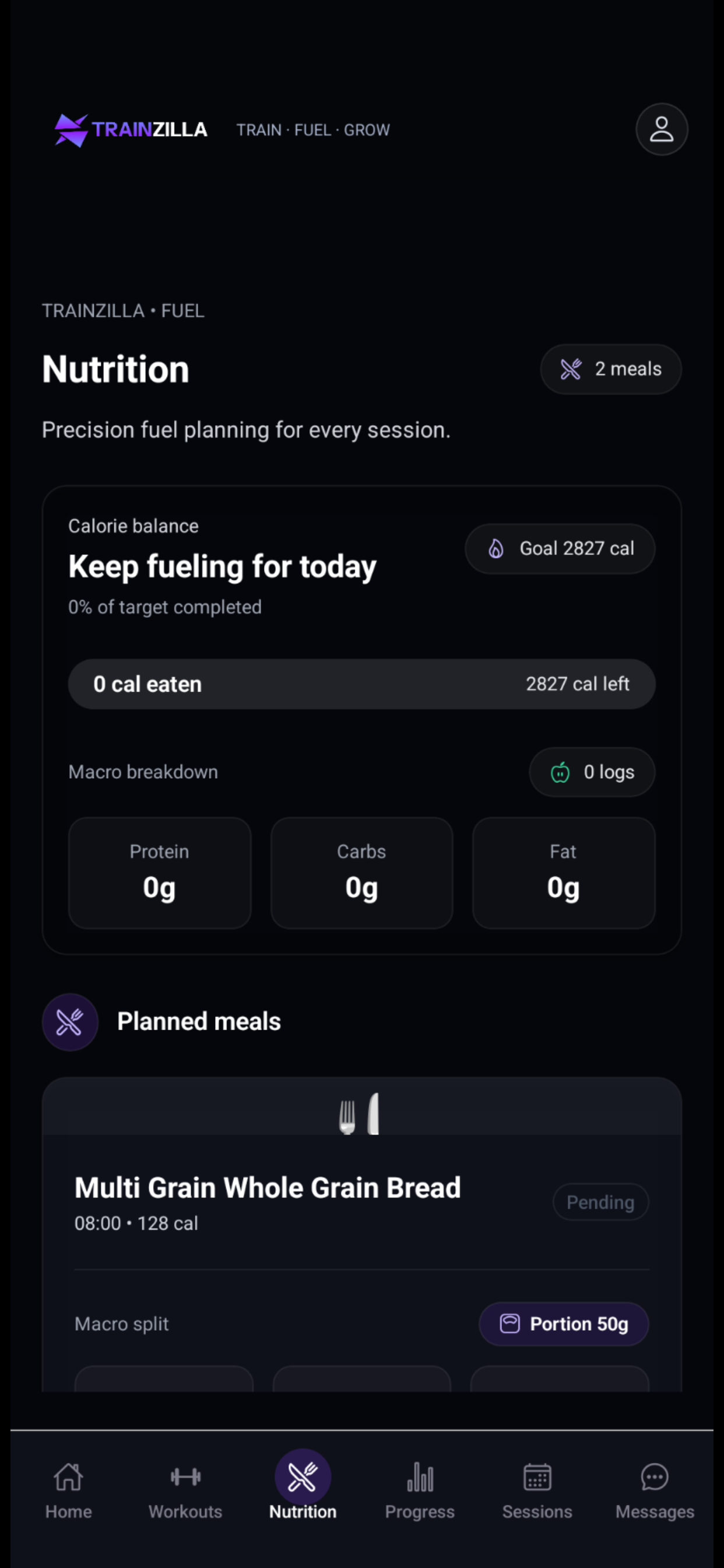
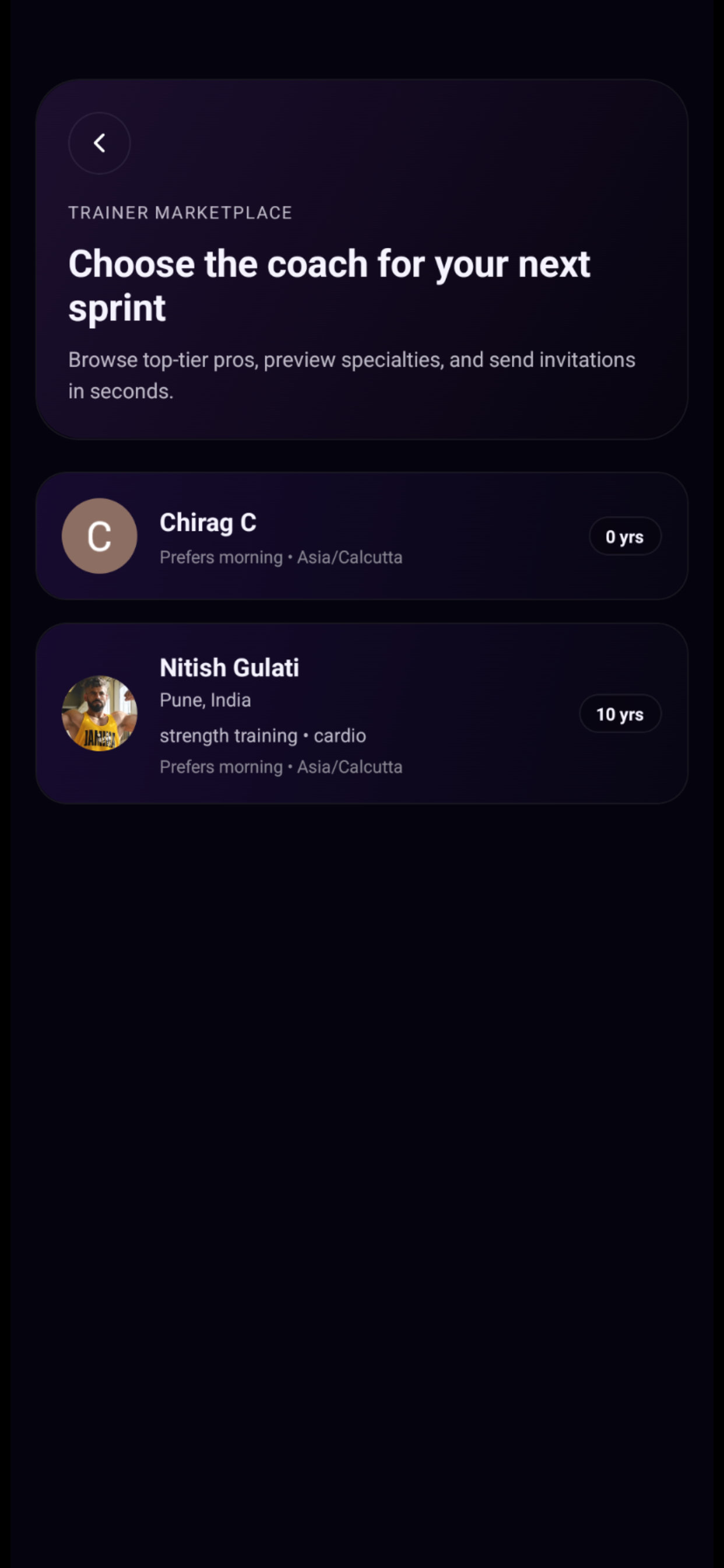
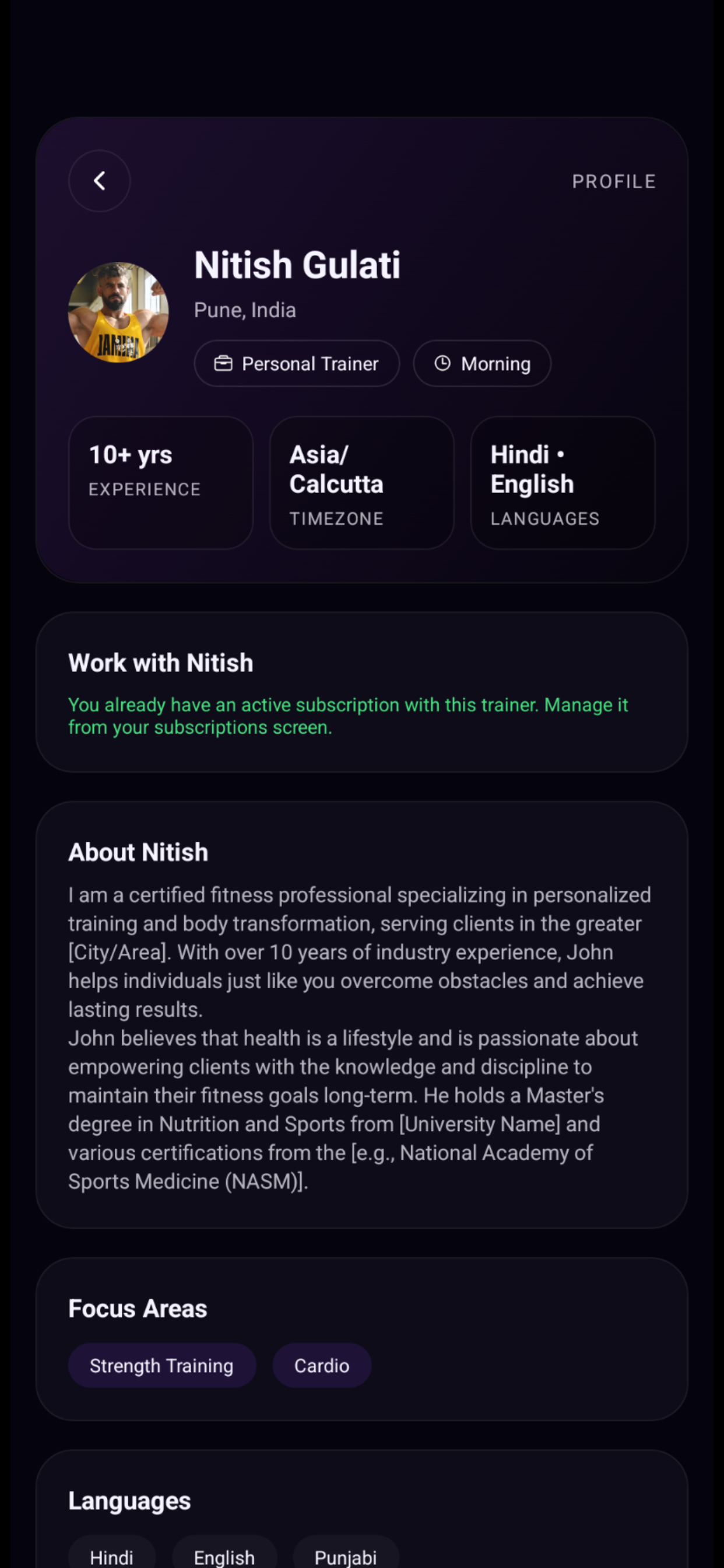
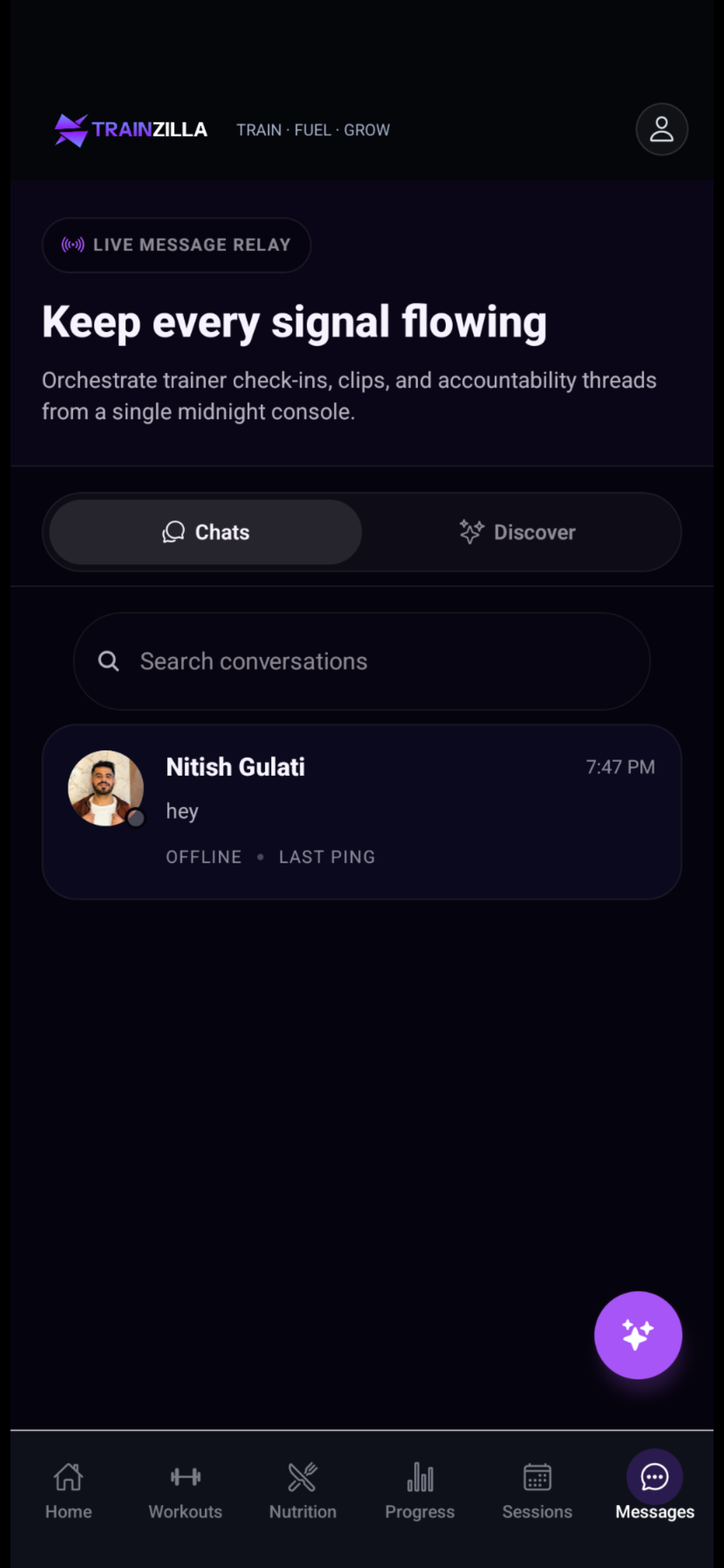
Where the coach app is built for workflow density, the client app is stripped to what a trainee needs: their plan, nutrition, progress and a line to their coach. It ships with every Professional subscription.
CLIENT APP · IOS & ANDROID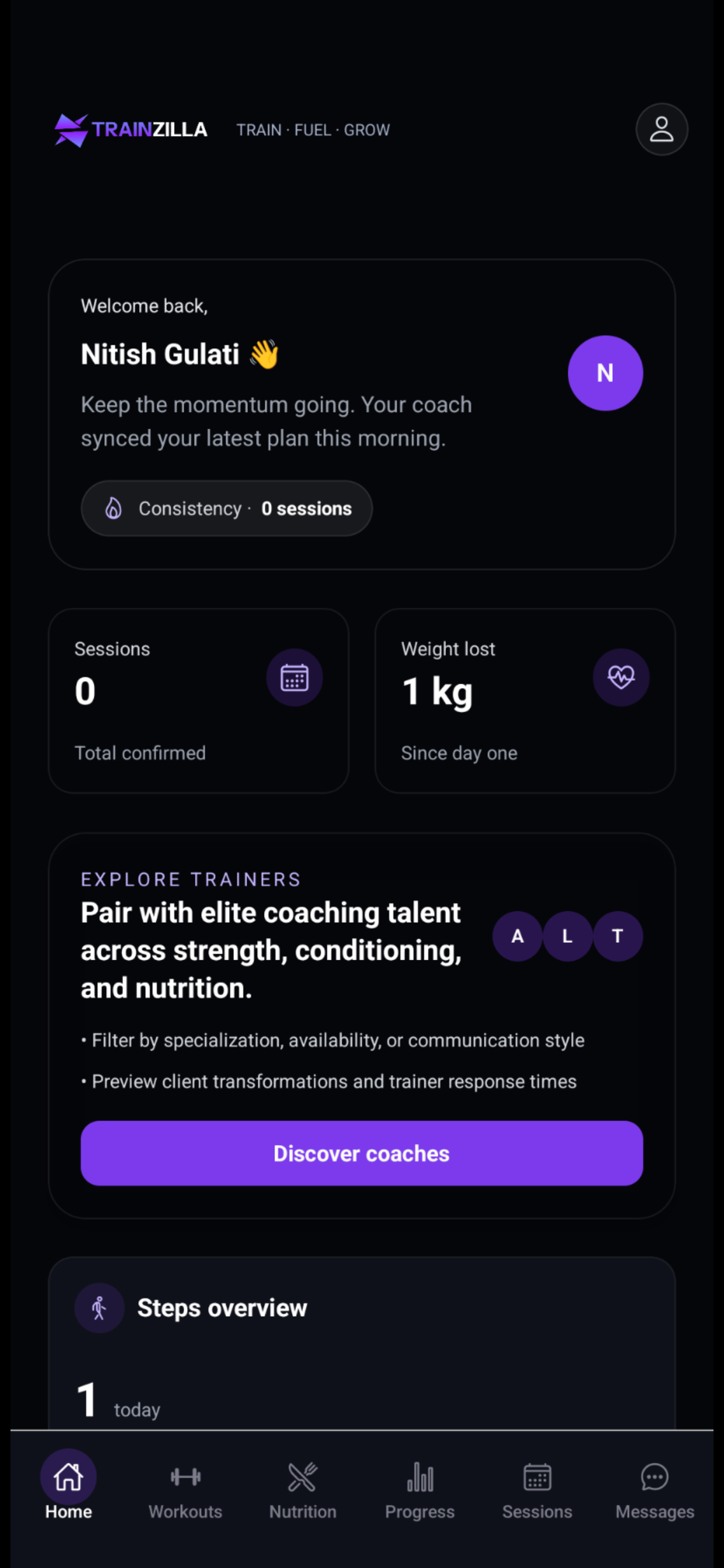
Home
Welcome, session count, weight progress, coach-set step goals.
Workouts & Nutrition
Assigned plans with exercise previews, calorie and macro targets, planned meals, all synced from the coach dashboard.
Find Coach & Messages
Browse and invite coaches in-app, then keep all communication in one thread.
AI that coaches actually use.
We kept AI small and practical, in three layers: in-product insights, workout suggestions that keep the coach in control, and an MCP server that lets any AI assistant manage clients through natural language.
Habit compliance insights
A weekly plain-language summary per client surfaces on the dashboard and in check-in review, so coaches with 20+ clients stop guessing.
AI workout recommendations
The AI proposes a starting program from goals, level and equipment. The coach reviews and edits. Nothing publishes autonomously.
get_client_profile()calc_1rm()create_workout_plan()schedule_session()Coach stays in control
Every tool runs through TrainZilla's permission model. A coach's AI only sees their own clients.
Works in any MCP host
Claude Desktop, Cursor or any MCP-compatible client connects. The server follows the open spec.
Less dashboard time
Bulk actions like assigning habits across a roster become one sentence.
Built token-first for four platforms.
With multiple platforms and developers building straight from Figma, a design system was non-negotiable. We defined a dark system for the marketplace and a light system for the coach app, sharing one token architecture (primitive → semantic → component).
No-line rule
Boundaries come from tonal surface shifts, not 1px borders. A faint ghost border is the accessibility fallback.
Gradient CTAs & glass nav
Violet gradient buttons and blurred glass navigation give the UI its editorial, high-performance feel.
Type pairing
Lexend for display and headlines, Manrope for body copy and dense data.
#0e141a
#1e2a36
#6327ff
#cbbeff
#00f0e8
#f7f9fb
Three tiers, one design principle.
The tier structure was a product decision as much as a pricing one. Each tier maps to a stage of the coach's business, and the UI surfaces the right features at the right time.
- Unlimited clients
- Workout & diet builder
- Session scheduling
- Automated payments
- Client iOS & Android app
- Everything in Starter
- White-label client app
- Video consultations
- Zapier integrations
- Advanced analytics
- Everything in Professional
- Multi-trainer & multi-location
- Admin role dashboard
- Centralised reporting
- Dedicated account manager
100+ coaches. Day one.
TrainZilla launched to over 100 early adopter coaches who signed up within the first weeks of going live. The onboarding funnel we designed converted at a rate that surprised even the founders — the sub-10-minute time-to-first-client metric was achieved across tested cohorts.
The platform is live at trainzilla.in and actively onboarding India's personal training community. AI-powered workout generation, Razorpay subscription billing, client check-in flows, and a nutrition tracking module all shipped in the initial launch window.
What we would do differently.
Build a lightweight PM layer earlier
Some features were lower-impact than predicted. A weekly structured interview with two or three coaches would have sharpened the roadmap.
Log design decisions as they happen
Early choices on workout templates and the check-in flow are hard to trace now. A simple decision log would help future contributors.
Invest in the design system from month one
Retrofitting tokens into finished screens cost about two weeks. Token-first would have been faster overall.
Usability-test onboarding before release
Early drop-off was higher than expected. A five-person test would have caught what the post-launch Setup Checklist later fixed.
Want a product like TrainZilla live in weeks?
Tell us the idea. We'll reply within 24 hours with how we'd scope, design and ship it.